USD ($)
 INR (₹)
 SAR (SAR)
 AED (AED)

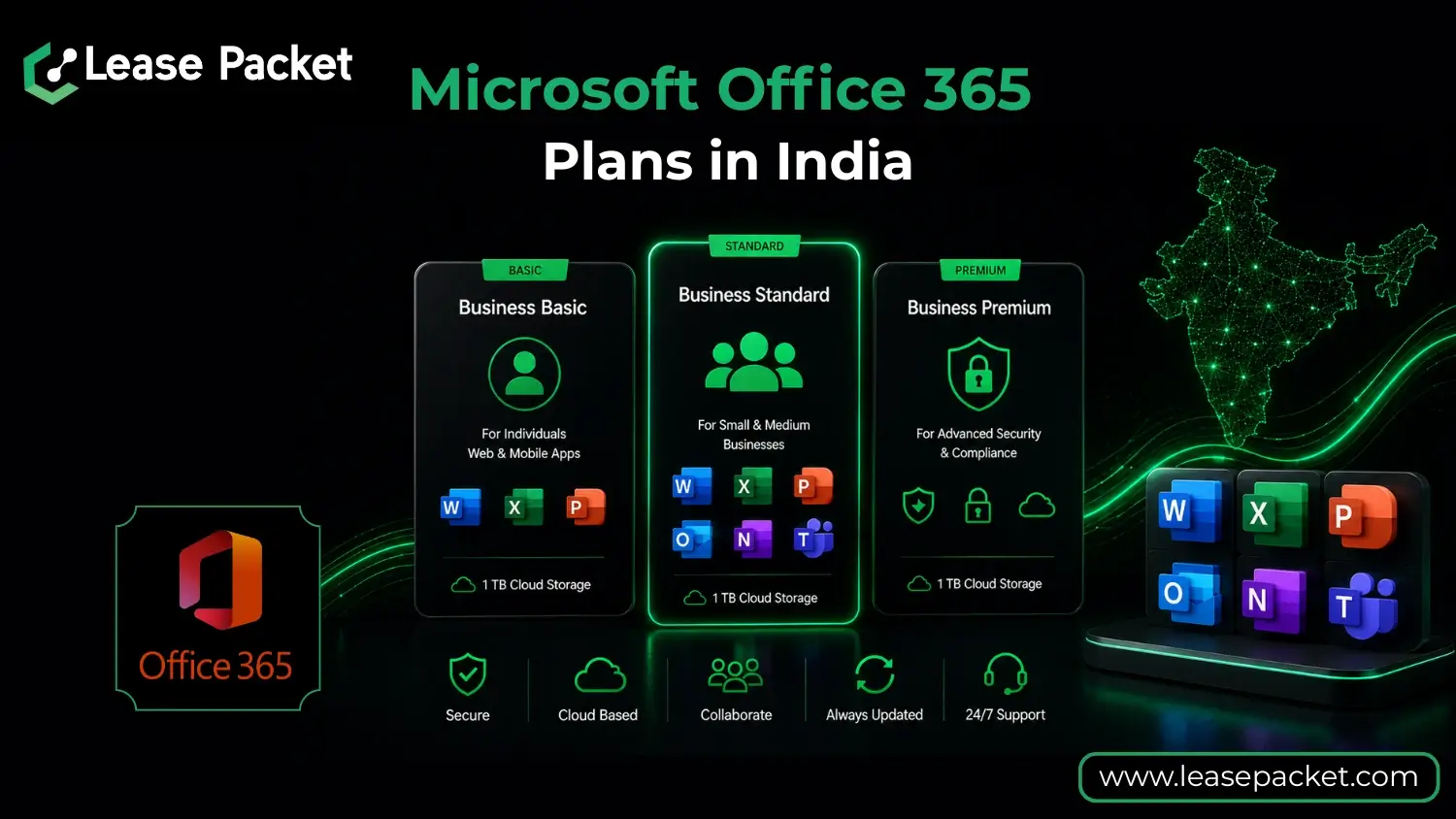
Choosing the best Microsoft Office 365 plan in India can feel overwhelming. There are multiple versions, each with its own mix of apps, cloud storage, and security features. Pick the wrong one, and you might end up paying for tools you don’t need or missing out on the ones that could make your work faster and easier.
The smart way to choose is to start with your needs. Do you only need the basic Office apps for study or personal work? Or do you run a business that requires professional email, online meetings, and team collaboration? When you know what’s essential for you, comparing plans becomes a lot simpler.
In this guide, we’ll break down every major Microsoft Office 365 plan available in India, explain what each offers, and share expert tips on matching them to your exact needs.
Table of Contents
Different Microsoft Office 365 Plans in India
Microsoft offers a range of Office 365 plans in India to suit different needs. Each plan comes with a unique set of features, storage options, and security tools. The right choice depends on your work style, collaboration needs, and budget. Here’s a closer look at each plan so you can understand what they offer before making a decision
Business Basic
Business Basic is the entry-level plan, designed for those who work primarily online. It includes web and mobile versions of Word, Excel, PowerPoint, and Outlook, giving you the flexibility to work from anywhere. You also get 1 TB of OneDrive cloud storage per user, a 50 GB mailbox with business-class email, Microsoft Teams for meetings and chat, SharePoint for document sharing, and Exchange for email management.
While it’s affordable and great for online collaboration, Business Basic doesn’t include desktop versions of the apps or advanced security tools. This means you’ll always need an internet connection to use the apps, and you won’t have extra protection for sensitive data. It’s best for startups, small teams, or individuals who want professional communication tools without paying for features they won’t use.
Business Standard
Business Standard builds on everything in Business Basic and adds desktop versions of Word, Excel, PowerPoint, and Outlook. You also get Publisher and Access (PC only), which are useful for creating detailed layouts, databases, and more professional documents. This makes it a great option if you work both online and offline.
It offers the same 1 TB cloud storage, 50 GB mailbox, Microsoft Teams, SharePoint, and Exchange as Basic, but the offline capability makes it more flexible. You can work without worrying about internet connectivity, then sync your files later. Business Standard is ideal for small businesses or professionals who want the convenience of offline apps along with solid collaboration tools.
Business Premium
Business Premium is the most feature-rich plan for small and medium-sized businesses. It includes everything in Business Standard plus advanced security and management tools like Intune, Azure Information Protection, and cyberthreat protection. These features help you control access, protect sensitive data, and guard against online threats.
With 1 TB cloud storage per user, desktop and online apps, and collaboration tools, it’s designed for companies that take data security seriously. If your business handles confidential information or needs to meet compliance requirements, Business Premium ensures your work environment stays safe without compromising productivity.
Apps for Business
Apps for Business focuses on giving you the full set of desktop Office apps, including Word, Excel, PowerPoint, Outlook, Publisher, and Access (PC only). You also get 1 TB of OneDrive cloud storage per user, so your files are accessible across devices. This plan is best for users who primarily work alone or in small teams and don’t rely heavily on collaboration platforms.
It doesn’t include Microsoft Teams, SharePoint, Exchange, or advanced security features, so it’s not ideal if you need strong communication or data protection tools. However, it’s perfect for individuals, freelancers, or companies that want the full offline app experience without the extras they don’t use.
Simply put, Microsoft Office 365 in India offers four main plans: Business Basic, Business Standard, Business Premium, and Apps for Business. Each with different apps, storage, and security levels. The best choice depends on whether you need online tools, offline apps, advanced security, or just the core desktop applications.
How to Choose the Right Microsoft Office 365 Plans in India?
Selecting the right Microsoft Office 365 plan in India doesn’t have to be confusing — you just need to match the plan’s features with your actual work needs.
- Identify How You Work: The way you work should guide your choice. If you’re online most of the time and are comfortable using web or mobile apps, Business Basic may be all you need. But if you prefer the full offline desktop experience, plans like Business Standard or Apps for Business will serve you better.
- Check Your Security Needs: Security is a key factor in choosing the right plan. Standard protection is fine for general use, but if your work involves handling sensitive information, managing multiple devices, or meeting compliance requirements, Business Premium offers advanced security features to keep your data safe.
- Look at Collaboration Requirements: Collaboration tools can make a big difference if you work in a team. Plans like Business Basic, Business Standard, and Business Premium include Microsoft Teams, SharePoint, and Exchange for easy communication and file sharing. If you work independently and don’t need these tools, Apps for Business might be a smarter and more affordable choice.
- Compare Features with Your Budget: It’s important to balance features with cost. Avoid paying extra for tools you won’t use. Instead, focus on the plan that meets your essential needs without going beyond your budget. This ensures you get the best value for your investment.
- Make Your Choice with Confidence: When you’ve reviewed your work style, security needs, and collaboration preferences alongside the pricing, you’ll have a clear picture of which plan works best for you. This step-by-step approach helps you choose with confidence and avoid costly mistakes.
Simply put, by looking at how you work, your security requirements, and whether you need collaboration tools, you can quickly narrow down your choices. The right plan is the one that gives you the features you’ll use most, at the best possible value.
FAQs
Which Microsoft Office 365 plan is best for small businesses in India?
For most small businesses, the Business Standard plan works best. It includes full desktop apps, 1 TB cloud storage, and collaboration tools like Teams and SharePoint. If your work involves handling sensitive data, upgrading to Business Premium gives you added security and device management features.
Is Microsoft Office 365 Business Basic enough for me?
Business Basic is great if you work mainly online and don’t need desktop apps. It includes web and mobile versions of Word, Excel, PowerPoint, Outlook, and essential collaboration tools. However, if you want offline access or more advanced features, you may need to consider Business Standard.
Does Office 365 in India come with lifetime access?
No, Microsoft Office 365 plans are subscription-based, meaning you pay yearly or monthly. As long as you maintain your subscription, you’ll continue to receive app updates, cloud storage, and security features. When the subscription ends, your access to premium features also stops.
Can I switch my Office 365 plan later?
Yes, Microsoft allows you to upgrade or downgrade your plan at any time. This flexibility is helpful if your needs change. For example, moving from Business Basic to Business Premium when you need stronger security or more collaboration features.
Which Office 365 plan is best for working offline?
If you want full offline access to apps like Word, Excel, and PowerPoint, choose Business Standard, Business Premium, or Apps for Business. These plans give you desktop versions of the apps so you can work without the internet and sync your files later.
Do all Office 365 plans include Microsoft Teams?
Most plans include Microsoft Teams, but Apps for Business does not. If video meetings, chats, and team collaboration are important to you, make sure to choose a plan like Business Basic, Business Standard, or Business Premium.
Let’s Summarize
Picking the right Microsoft Office 365 plan in India isn’t about choosing the most expensive or the cheapest option. It’s about finding the one that truly fits the way you work. When you understand your needs, compare the features, and balance them with your budget, the decision becomes much easier.
Each plan has its strengths. Business Basic is great for online work, Business Standard offers full offline apps, Business Premium adds advanced security, and Apps for Business focuses on the core desktop tools. Knowing these differences helps you choose with clarity.
The right plan will give you the tools you need, the security you can rely on, and the flexibility to work your way. Take a moment to match your priorities with the right plan. Need help deciding? Contact us today for expert assistance in choosing the perfect Microsoft Office 365 plan for your needs.