USD ($)
 INR (₹)
 SAR (SAR)
 AED (AED)

Search engines now treat HTTPS as a trust signal. Now, websites without SSL certificates face many consequences, such as reduced user trust and weaker SEO performance. Google continues prioritizing secure websites because encrypted traffic reduces phishing risks. Surprisingly, many businesses still delay HTTPS migration because they fear ranking drops or downtime during the process. But they don’t know that a well-planned migration from an SSL certificate provider like Lease Packet can, in fact, improve their security and maintain existing SEO strength without any negative effect. This guide explains how to safely migrate from HTTP to HTTPS while protecting your SEO position. Let’s begin!
Table of Contents
Why HTTPS Matters More Now Than Ever
Modern browsers now display stronger warnings for unsecured websites. AI-powered search algorithms also evaluate trust signals more aggressively than before. A secure website helps with:
- Better SEO trust and indexing consistency
- Improved Core Web Vitals stability
- Secure payment and login protection
- Higher conversion rates on e-commerce pages
- Safer API communication for SaaS platforms
- Stronger customer confidence during checkout
And if you are an e-commerce owner, you are more affected because unsecured sessions can reduce user retention quickly. This is why managed SSL certificate services from Lease Packet have become increasingly important for businesses that want faster deployment without technical migration errors.
Choose the Right SSL Certificate Before Migration
You might be aware that not every SSL certificate fits every website. Choosing the wrong certificate often creates renewal issues or browser trust warnings later. Check this out:
Domain Validation (DV) SSL is best for:
- Blogs
- Small business websites
- Portfolio websites
- Landing pages
DV SSL certificates are fast to activate and widely used for basic HTTPS security.
Organization Validation (OV) SSL is best for:
- Business websites
- Corporate portals
- Service companies
OV certificates provide stronger business verification and improve brand credibility.
Extended Validation (EV) SSL is best for:
- Banking
- Fintech
- Enterprise e-commerce
- High-trust platforms
EV SSL adds advanced verification for brands handling sensitive customer data.
In 2026, wildcard SSL and multi-domain SSL certificates are also trending because businesses now manage multiple subdomains, SaaS dashboards, APIs, and regional landing pages under one infrastructure setup.
SSL Certificate Setup Guide | How to Migrate to HTTPS
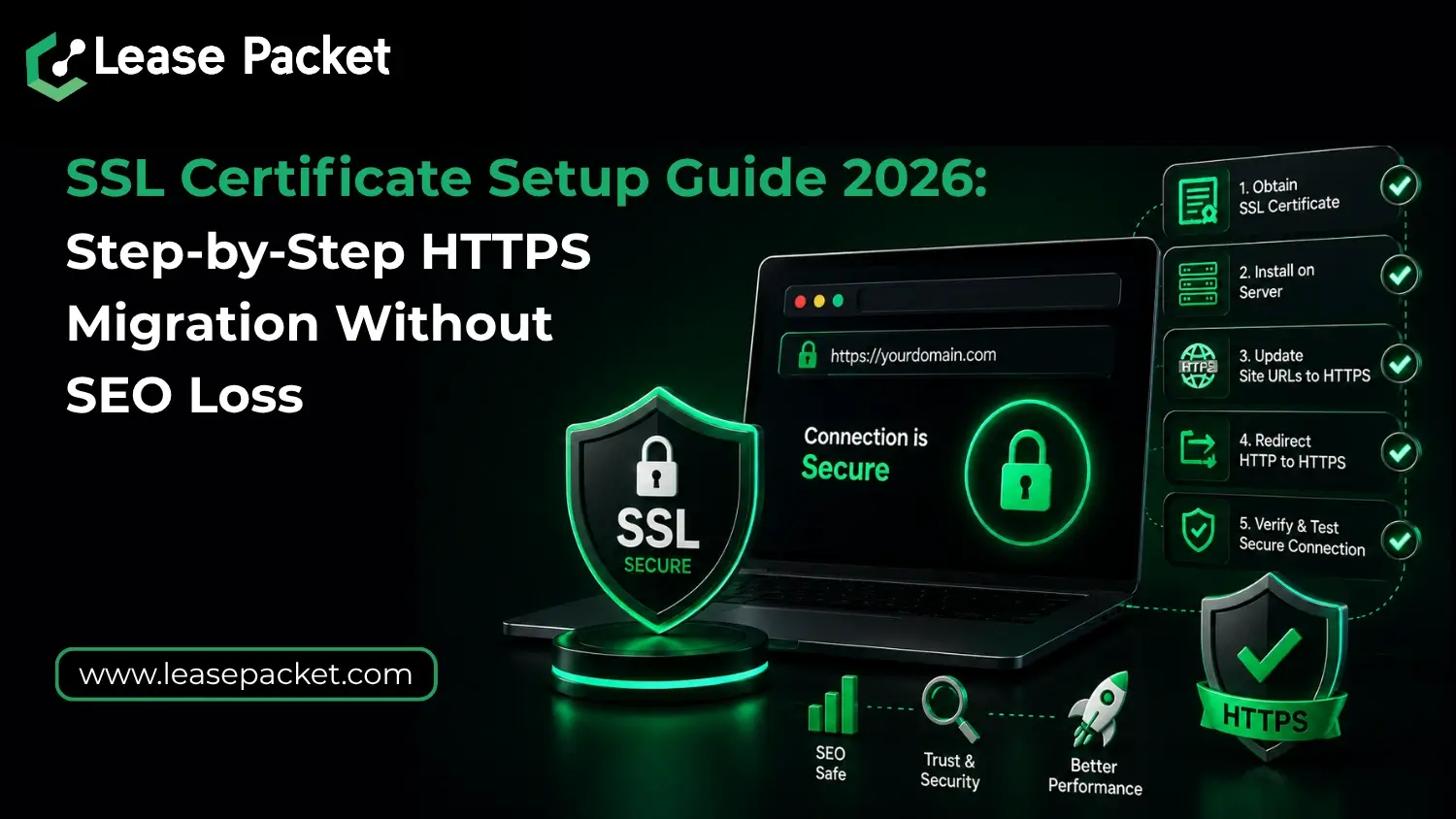
Step 1: Back up your website before SSL Installation
Before changing anything:
- Create a full website backup
- Export your database
- Save server configuration files
- Backup DNS records
- Record existing redirects
This prevents recovery problems if the migration causes broken pages or redirect loops. For websites hosted on cPanel, LiteSpeed, or cloud VPS environments – automated backups are highly recommended before SSL activation.
Step 2: Install the SSL Certificate Properly
After purchasing or generating the SSL certificate from Lease Packet:
- Install the certificate on your hosting server
- Configure intermediate certificate bundles
- Enable TLS 1.3 support
- Disable outdated SSL protocols
- Test browser compatibility
Most modern hosting providers now support AutoSSL or one-click HTTPS deployment. Managed hosting services from Lease Packet simplify this process by handling SSL installation, renewals, and server-side configuration together.
Step 3: Force HTTPS Redirection Carefully
This is one of the most critical parts of migration. Every HTTP URL must permanently redirect to its HTTPS version using 301 redirects. Temporary redirects can confuse search engines and dilute rankings. Examples include:
- http://domain.com → https://domain.com
- http://www.domain.com → https://www.domain.com
Avoid redirect chains because they slow crawling and affect SEO performance. You must know that search engines now also monitor redirect efficiency as part of page experience optimization.
Step 4: Fix Mixed Content Errors
Mixed content happens when HTTPS pages still load insecure assets like:
- Images
- Scripts
- Fonts
- CSS files
- Embedded videos
These warnings damage browser trust and can block certain resources entirely. You can use tools like:
- Chrome DevTools
- SSL Labs
- Screaming Frog
- Site audits inside Google Search Console
And fix every insecure resource manually or through database replacement tools.
Step 5: Update SEO Signals After HTTPS Migration
Once HTTPS is active, update all SEO-related settings immediately. Important updates include:
- Submit HTTPS sitemap in Google Search Console
- Update canonical tags
- Replace internal links with HTTPS versions
- Update robots.txt references
- Resubmit indexing requests
- Update CDN and caching rules
This helps search engines understand that HTTPS is now the primary version of your website. If you do this, your SEO position will be preserved.
Step 6: Monitor Rankings and Crawl Errors
HTTPS migration does not end after installation. For the next few weeks, you need to monitor:
- Ranking fluctuations
- Crawl errors
- Redirect issues
- Broken backlinks
- Indexed pages
- Core Web Vitals
Temporary movement is normal during reindexing, but major drops usually indicate migration mistakes. Many businesses now combine SSL migration with hosting optimization because server speed and HTTPS performance work together in Google’s ranking systems.
Common HTTPS Migration Mistakes to Avoid
Some of the biggest SEO losses happen because of avoidable errors:
- Using 302 redirects instead of 301
- Forgetting canonical updates
- Blocking HTTPS pages in robots.txt
- Leaving old HTTP pages indexed
- Ignoring mixed content warnings
- Installing expired SSL certificates
Even a small SSL configuration mistake can affect traffic, trust, and conversions. So, you must ensure that you make no mistakes. Moreover, you can always ask for expert help, connect with Lease Packet, and let the professionals handle the migration for you.
Bottom Line
HTTPS migration is no longer just a security upgrade. It directly affects SEO rankings and business credibility. A properly configured SSL setup protects your website while preserving search visibility during migration. If you are planning an HTTPS deployment, you should focus on clean redirects and post-migration SEO monitoring. Don’t rush the installation. Also, know that, with managed hosting and SSL support from providers like Lease Packet, companies can migrate securely without risking rankings or downtime. Connect today for quotes and queries! Offers available!!
FAQs
Does HTTPS improve SEO rankings in 2026?
Yes! HTTPS remains an active Google ranking signal and also improves trust metrics that influence user engagement.
Can SSL migration cause temporary ranking drops?
Minor fluctuations can happen during reindexing, but proper 301 redirects and updated SEO signals usually prevent major losses.
Does Lease Packet provide managed SSL setup?
Sure. Lease Packet offers SSL deployment, hosting optimization, and HTTPS migration support for business websites.