 USD ($)
 INR (₹)
 SAR (SAR)
 AED (AED)

What is a Microsoft 365?
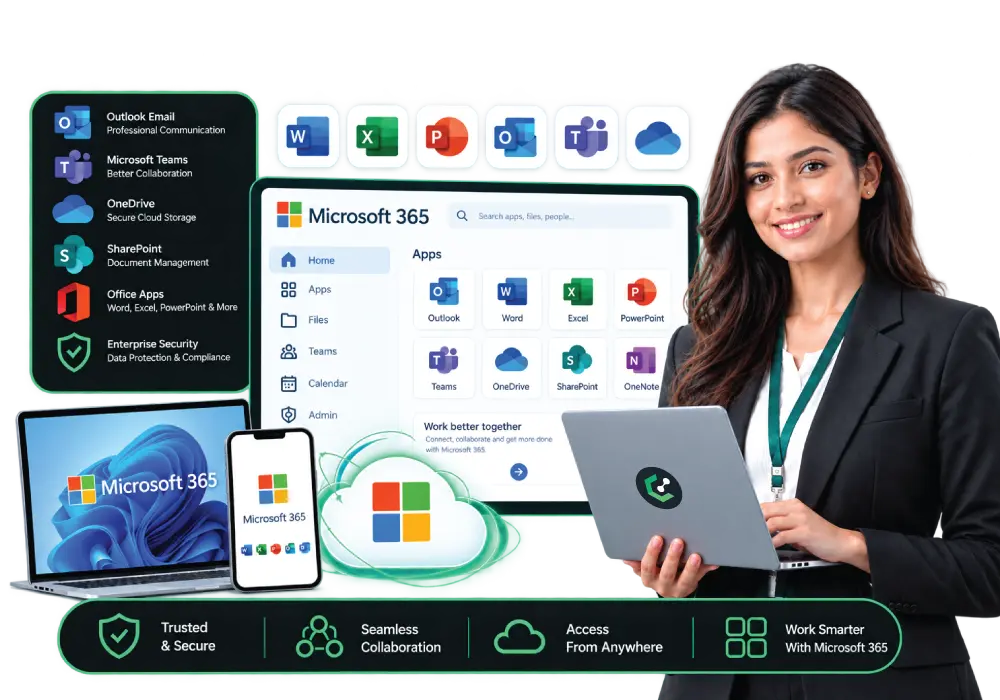
Microsoft 365 is Microsoft’s subscription family of productivity apps and cloud services, combining the Office apps (Word, Excel, PowerPoint, Outlook) with services such as Exchange Online email, OneDrive and SharePoint storage, Teams meetings and chat, security and device management tools, and Copilot AI features. It was formerly called Office 365.
What you get depends on the plan: some include the desktop Office apps, some only web and mobile versions, and the security, compliance and AI features vary by plan and by add-ons.
Quick answer
Definition
Microsoft's subscription suite of Office apps and cloud services: Word, Excel, Outlook, Exchange Online, OneDrive, SharePoint, Teams and security tools.
Main advantage
The full Office apps and Microsoft's email, collaboration and security stack in one managed subscription.
Main limitation
Recurring per-user cost, many plan variants to choose from, and a more complex administration than simpler suites.
Best suited for
Organizations that rely on Office files, Excel, Outlook and Teams, or that want integrated security and device management.
What is Microsoft 365?
Microsoft 365 is Microsoft’s subscription service that bundles the Office applications with cloud services for email, file storage, collaboration and meetings, and, on many plans, security, device management and AI features.
Instead of buying software once and running your own servers, an organization pays per user for access to apps and services that Microsoft hosts and updates. An administrator creates user accounts, assigns licences and sets policies from one admin center, and people use the apps on Windows, macOS, the web and mobile devices.
- Office apps: Word, Excel, PowerPoint, Outlook and more, as desktop apps on plans that include them and as web and mobile versions.
- Business email on your domain: Exchange Online mailboxes with addresses such as name@yourcompany.com.
- Files and sites: OneDrive for personal files and SharePoint for team sites and document libraries.
- Meetings and chat: Teams, on the plans that include it.
- Security and management: identity, device and data-protection tools, with the level depending on the plan.
- AI features: Copilot, offered on selected plans and as an add-on.
Terminology note
The product launched as Office 365 (generally available 28 June 2011) and was renamed Microsoft 365 on 21 April 2020. Microsoft also used "Microsoft 365" in 2017 for an enterprise bundle that included Windows. Many partner pages still say "Office 365". A work or school account belongs to an organization, while a Microsoft account is a personal account.
Microsoft 365 terms explained
A handful of terms explain most Microsoft 365 documentation and quotes: plan, licence, tenant, Exchange Online, SharePoint, OneDrive, Teams, Entra ID, Intune, Defender, Purview, Copilot and the admin center.
| Term | What it means |
|---|---|
Plan and license |
A plan (such as Business Standard) defines what is included; each user is assigned a licence for it. |
Tenant |
Your organization’s dedicated instance of Microsoft’s cloud services, identified by your domain and managed by your administrators. |
Microsoft 365 Apps |
The Office applications (Word, Excel, PowerPoint, Outlook and others) installed on a PC or Mac. |
Exchange Online |
The hosted email, calendar and contacts service. |
SharePoint and OneDrive |
SharePoint provides team sites and document libraries; OneDrive stores each user’s personal files. |
Teams |
Microsoft’s chat, meetings and collaboration app. |
Microsoft Entra ID |
The identity service that manages sign-in, formerly known as Azure Active Directory. |
Intune |
A cloud service for managing devices and apps. |
Defender |
Microsoft’s threat protection tools, such as Defender for Office 365 and Defender for Business. |
Purview |
Microsoft’s data governance tools, including data loss prevention and information protection. |
Copilot |
Microsoft’s AI assistant, available in some plans and as an add-on. |
Admin center |
The web portal where administrators manage users, licences, devices, security and billing. |
CSP partner |
A Cloud Solution Provider: a partner authorized to sell and support Microsoft cloud subscriptions. |
What is included in Microsoft 365?
Microsoft 365 includes Office apps, email and calendar, file storage, team sites, meetings and chat, and, depending on the plan, security, device management, compliance tools and AI, so the exact contents depend on the plan you choose.
| Category | Apps | What you use them for |
|---|---|---|
Office apps |
Word, Excel, PowerPoint, Outlook, OneNote; Access and Publisher on Windows |
Documents, spreadsheets, presentations, email and notes |
Email and calendar |
Exchange Online, Outlook |
Business email on your domain, scheduling, shared calendars |
Files and sites |
OneDrive, SharePoint |
Personal and team file storage, intranet sites, document libraries |
Meetings and chat |
Teams (on plans that include it) |
Chat, video meetings, calling and collaboration |
Identity and device management |
Microsoft Entra ID, Intune |
Sign-in, multi-factor authentication, device and app management |
Threat and data protection |
Defender, Purview (varies by plan) |
Phishing and malware protection, data loss prevention, information protection |
Other services |
To Do, Forms, Planner, Power Platform, Viva and more (varies) |
Tasks, surveys, planning, low-code apps and employee experience |
AI |
Copilot (selected plans and add-ons) |
AI assistance in apps |
Microsoft adds, renames and retires services over time. In April 2025 the Microsoft 365 app was renamed Microsoft 365 Copilot. Check Microsoft’s current product pages.
How does Microsoft 365 work?
Microsoft 365 works as a hosted subscription: you choose plans and add users, assign licences, connect your domain and mail routing, and your team then uses the apps online or installed on devices while an administrator manages them.
Choose plans and users
Pick the plan for each group of users, based on whether they need desktop apps, Teams, security tools and AI.
Create the tenant and verify your domain
Sign up, then prove you own your domain by adding a DNS record that Microsoft provides.
Create users and assign licences
Add accounts, assign the right licence to each and set administrator roles.
Set up email routing
Point your domain's mail records to Exchange Online at the right time so that mail is not lost.
Migrate data and install apps
Move mailboxes and files from the old system and install the desktop apps on devices.
Secure and manage
Turn on multi-factor authentication, set device and sharing policies, configure email authentication and review reports.
Key facts at a glance
Former names
|
Office 365 (general availability 28 June 2011; renamed Microsoft 365 on 21 April 2020) |
Business plans user limit |
Up to 300 users (Business Basic, Standard, Premium, Apps for business), per Microsoft |
Business Basic (Microsoft)
|
Web and mobile Office apps only; Exchange mailbox 100 GB; 1 TB cloud storage per user; Teams |
Business Standard (Microsoft)
|
Adds the desktop Office apps; 100 GB mailbox plus archive; 1 TB per user |
Business Premium (Microsoft)
|
Adds Intune, Defender and Purview data loss prevention and information protection |
Uptime commitment
|
99.9% per service per month for most online services (as reported; Microsoft’s SLA document is the authority) |
What 99.9% allows |
0.1% of a 30-day month is 43.2 minutes (30 × 24 × 60 × 0.001) |
Last reviewed |
14 October 2026 |
Plans, limits and prices change. Figures above come from Microsoft’s business plans comparison page (see sources); confirm the current text before you buy.
Microsoft 365 business plans compared
Microsoft sells business plans for up to 300 users, Business Basic, Business Standard, Business Premium and Apps for business, and they differ mainly in whether they include the desktop Office apps, Teams and the level of security and device management.
| Per Microsoft's comparison page | Business Basic | Business Standard | Business Premium | Apps for business |
|---|---|---|---|---|
Desktop Office apps |
No (web and mobile only) |
Yes |
Yes |
Yes (Word, Excel, PowerPoint, Outlook) |
Exchange email |
100 GB mailbox, archive |
100 GB mailbox, 50 GB archive |
100 GB mailbox, 1.5 TB archive |
Not included |
Cloud storage per user |
1 TB |
1 TB |
1 TB |
1 TB |
Teams |
Included (with-Teams version) |
Included (with-Teams version) |
Included (with-Teams version) |
Not included |
Intune, Defender for Business, Purview data protection |
No |
No |
Listed |
No |
Advanced identity (Entra ID) |
Free version |
Free version |
Advanced |
Not listed |
User limit |
300 |
300 |
300 |
300 |
- Variants: Microsoft's page lists versions of the plans with and without Teams, and Standard and Premium "with Copilot". Check which variant a quote or a reseller page refers to.
- Other plan families: Enterprise (for example E3 and E5, and Apps for enterprise), Frontline (F1 and F3), Education and consumer plans (Personal, Family). Larger organizations usually use Enterprise plans.
- Prices: Microsoft lists prices per user per month with annual billing, and the amounts differ by plan variant, region and currency. This guide does not quote them.
Table values reflect Microsoft’s page as reviewed on 14 October 2026; add-ons and regional differences are not covered, so check the page for details.
Microsoft 365 vs Office 365 vs one-time Office
Office 365 was the earlier name of the cloud subscription that became Microsoft 365 in April 2020, while one-time Office is a version you buy once and install without ongoing cloud services or feature updates.
| Feature | Microsoft 365 | Office 365 (older name and some plan names) | One-time purchase Office |
|---|---|---|---|
Payment |
Subscription per user |
Subscription per user |
Single payment for a version |
Apps |
Always the current apps while subscribed |
Same approach |
A fixed version, updated only for security and fixes |
Email, storage and Teams |
Cloud services included on most plans |
Included on its plans |
Not included |
Device and security management |
Available on higher plans |
Limited, depending on plan |
Not applicable |
Windows included |
In some enterprise bundles |
No |
No |
Best for |
Organizations wanting managed apps and services |
Existing customers on those plan names |
Single users or sites that need no cloud features |
Some plans, such as Office 365 E3, still carry the older name, and Microsoft’s Business plans are sold under the Microsoft 365 name. Confirm exactly what a named plan includes.
Microsoft 365 vs Google Workspace
Microsoft 365 centers on the Office desktop applications with cloud services, while Google Workspace is built around browser-based apps and real-time collaboration, and the better choice depends on your files, tools and skills.
| Consideration | Microsoft 365 | Google Workspace |
|---|---|---|
Core approach |
Office desktop and web apps with cloud services |
Web-first apps and collaboration |
Email and calendar |
Exchange Online and Outlook |
Gmail and Google Calendar |
Documents |
Word, Excel, PowerPoint |
Docs, Sheets, Slides |
Meetings and chat |
Teams |
Meet and Chat |
Storage |
OneDrive and SharePoint |
Drive and shared drives |
File compatibility |
Native Office formats, macros and add-ins |
Opens and edits many Office formats; advanced Excel features and add-ins may differ |
Security and device management |
Entra ID, Intune, Defender and Purview on higher plans |
Admin console with edition-based controls |
Administration |
Admin center and related portals; more options, more to learn |
Single admin console |
Best fit |
Office-heavy, Excel- and Outlook-centric organizations, Windows environments |
Browser-based collaboration, simplicity |
Both are mature, and a pilot with real users is the most reliable way to decide. Pricing differs by plan and region, so compare current quotes for equivalent editions.
Benefits of Microsoft 365
The main benefits are the full Office apps, business email on your own domain, integrated meetings and file sharing, central administration and a range of security and device management tools in one subscription.
Full Office apps
Desktop Word, Excel, PowerPoint and Outlook on plans that include them, with the features and file formats many organizations depend on.
Professional email
Exchange Online mailboxes on your domain with calendars and shared mailboxes.
Integrated collaboration
Teams, SharePoint and OneDrive work together for chat, meetings and shared files.
No servers to maintain
Microsoft hosts and updates the services, so you do not run mail or file servers.
Security tools
Identity, threat protection and data protection tools, with more on higher plans.
Device management
Manage laptops and phones with Intune on plans that include it.
Scales with the team
Add or remove users and change plans as the organization grows.
Works across devices
Use apps on Windows, macOS, the web and mobile devices.
Limitations of Google Workspace
The main limitations are the recurring per-user cost, the many plan variants that make choosing and comparing harder, a more complex administration than simpler suites and features that depend on the plan or on add-ons.
Recurring cost
Subscriptions are charged per user for as long as you use the service, and annual plans commit you for a term.
Plan complexity
Plans come with and without Teams or Copilot, under both Microsoft 365 and older Office 365 names, so quotes can be hard to compare.
Administration effort
Several portals and many settings give flexibility but need skills to configure well.
Features vary by plan
Device management, advanced security and data protection are listed for higher plans, and Multi-Geo data residency is not available to small business plans.
Platform dependence
Your data and workflows live on Microsoft's platform, so moving later takes planning.
Outages happen
Like any cloud service, it has had outages; Wikipedia notes a global Microsoft outage on 1 March 2025 that lasted a few hours.
A pilot with a small group, including your most complex files and mailboxes, is the best way to find problems early.
Who uses Microsoft 365?
Organizations of every size use Microsoft 365, from small businesses to large enterprises, schools and governments, especially where Office files, Outlook and Teams are part of daily work.
Small and mid-size businesses
Business email, Office apps and security on a per-user plan.
Why: familiar apps with managed services
Finance and accounting teams
Heavy Excel use with complex workbooks and macros.
Why: desktop Excel compatibility
Professional services firms
Documents exchanged with clients in Office formats.
Why: native file formats
Organizations with Windows PCs
Managed laptops and standard images.
Why: Intune and Windows integration
Regulated and security-focused teams
Data loss prevention, information protection and audit.
Why: Purview and Defender on higher plans
Large enterprises
Company-wide email, collaboration and governance.
Why: Enterprise plans and Multi-Geo add-on
Schools and universities
Education plans for staff and students.
Why: education-specific plans
Frontline and shift workers
Staff who need email, chat and basic tools.
Why: Frontline plans
Situations where another option may fit better
Teams that work entirely in the browser and want the simplest administration may prefer a lighter suite, and those that only need mailboxes can use business email hosting.
When should you switch to Microsoft 365?
Consider Microsoft 365 when you want business email on your domain, the Office apps and integrated collaboration under central management, or when you want to replace self-hosted mail servers or one-time Office licences.
Signals it may be time to switch
- You run your own mail server and spend time on maintenance, spam and outages.
- Staff use personal accounts or mixed tools for company work.
- You depend on Excel, Outlook or Office files and want them always current.
- You need central control of devices, sign-in and data protection.
- Your one-time Office licences are ageing and unmanaged.
- You want Teams, SharePoint and OneDrive working together.
- You want a service level agreement for email and collaboration.
- You are growing and need to add users quickly.
Before you decide, list the apps, mailboxes and file types you rely on, run a pilot and compare the total cost with your current setup.
Security, privacy and compliance
Microsoft secures the platform and provides identity, threat and data protection tools whose level depends on your plan, but security is shared: you are responsible for how accounts, devices, sharing and email authentication are configured.
Identity and sign-in
Microsoft Entra ID manages sign-in; Business Premium lists advanced identity management. Enforce multi-factor authentication for every user.
Threat protection
Business Premium lists Defender for Office 365 Plan 1 and Defender for Business; lower plans list URL time-of-click protection.
Device management
Intune is listed with Business Premium for managing laptops and phones.
Data protection
Business Premium lists Purview data loss prevention and information protection; higher enterprise plans add more.
Audit and reporting
Standard audit logging is listed on Business Basic and Standard.
Data location
Multi-Geo is an add-on for eligible enterprise plans; Microsoft says small business subscriptions do not currently qualify.
Email authentication
Set up SPF, DKIM and DMARC for your domain to protect it from spoofing and to meet bulk-sender rules.
Backups and retention
Plan backup and retention for mail and files in addition to Microsoft's own resilience; a recycle bin and retention are not the same as a backup.
Privacy and compliance
- certifications: Microsoft publishes compliance documentation, and Wikipedia lists certifications such as ISO/IEC 27001. Read Microsoft's current compliance pages for the specific standards you need.
- Your obligations: using Microsoft 365 does not by itself make you compliant with GDPR, India's DPDP Act, the UAE PDPL or sector rules such as HIPAA. Review the agreements that apply and take advice.
- Plan matters: controls such as data loss prevention and advanced device management are listed on higher plans, so the cheapest plan may not fit regulated needs.
Reliability and the Microsoft 365 SLA
Microsoft’s service level agreement commits to a monthly uptime of 99.9% for most online services, with service credits only if a specific service falls below the commitment and the customer files a claim, so it is a remedy and not a promise of no downtime.
| SLA point | Detail |
|---|---|
Uptime commitment |
99.9% per service per month for most Microsoft 365 services, as reported by independent commentary; Calling Plans and Teams Phone have a higher target. Check Microsoft’s SLA document for each service. |
What 99.9% means |
0.1% of a 30-day month, about 43.2 minutes. |
How credits work |
Credits apply per service, not to combined performance, and require a claim with evidence of the incident. |
Measurement |
Uptime is measured across all users, so a single user’s outage may be diluted in a large organization. |
Exclusions |
Typically include causes outside Microsoft’s control and customer-side issues; see the current SLA. |
Who handles claims |
Microsoft support, or your partner if all subscriptions were bought through one. |
Plan for outages with your own communication channels, tested backups and, for critical work, offline copies of key files. Microsoft publishes service health information for administrators.
Copilot and AI in Microsoft 365
Microsoft 365 includes Copilot AI features on selected plans and as an add-on, and Microsoft’s pricing page lists Business Standard and Business Premium plans “with Copilot”, so check exactly which AI features a plan includes.
- What it does: assists with drafting, summarizing, analysis and search across apps such as Word, Excel, Outlook and Teams.
- Plan differences: Microsoft's page lists plan variants with Copilot at a higher price and without it; consumer "Classic" plans do not include AI features.
- Branding changes: the Microsoft 365 app was renamed Microsoft 365 Copilot in April 2025, so older articles may use different names.
- Admin control: administrators can manage who has Copilot. Review data handling terms before using AI with sensitive content.
- Change is frequent: AI features and licensing change often, so check Microsoft's current documentation.
Setting up and migrating to Microsoft 365
Setting up Microsoft 365 means creating a tenant, verifying your domain, creating users and assigning licences, migrating mail and files and switching your mail records, and the order matters so that no mail is lost.
Inventory what you have
Mailboxes, sizes, shared mailboxes, aliases, calendars, files, Office versions and integrations.
Pick plans per group
Different groups may need different plans, such as frontline vs office staff.
Confirm domain control
Access to the registrar or DNS host to add verification and mail records.
Verify the domain
Add the record Microsoft provides before routing mail.
Create users and assign licences
Match addresses, aliases and groups; assign the correct licence to each user.
Migrate mail and files
Use migration tools or a partner; pilot with a small group first.
Switch mail routing
Update the domain's mail records to Exchange Online at an agreed time and keep the old system until verified.
Set email authentication
Configure SPF, DKIM and DMARC for the domain.
Enable security policies
Multi-factor authentication, sharing limits, device rules.
Install apps and train
Deploy desktop apps to devices and give short guides for Outlook, Teams and OneDrive.
How much does Microsoft 365 cost?
Microsoft 365 is priced per user per month, and the cost depends on the plan and its variant (with or without Teams or Copilot), the number of users, the billing term, the region and currency and whether you buy from Microsoft or a partner, so there is no single price.
Plan and variant
Business Basic, Standard, Premium and Apps for business, with Teams or Copilot options, are priced differently.
Number of users
Priced per user; Business plans are limited to 300 users.
Billing term
Microsoft's page lists annual subscriptions that auto-renew, billed monthly or yearly; terms differ by purchase route.
Region, currency and tax
Prices vary by country and may exclude taxes such as GST or VAT.
Add-ons
Copilot, Multi-Geo, advanced security and others are separate.
Migration and setup
One-time work for data migration, DNS and training.
Support and management
Partner support or managed administration may add cost.
Backup and security tools
Third-party backup or email security tools.
Reseller terms
Invoicing, discounts and contract terms differ by partner.
Why this guide quotes no prices
Prices on third-party pages often disagree, because they reflect different dates, regions, billing terms, plan variants and currencies. Always check the current price on Microsoft's own pages or in a written quote, and compare like for like: the same plan variant, user count, term, currency and tax treatment.
Buying from Microsoft directly or through a partner
You can buy Microsoft 365 directly from Microsoft or through a partner such as a Cloud Solution Provider, and the subscription is the same product, with differences in billing, support routing and services such as migration.
| Consideration | Directly from Microsoft | Through a partner |
|---|---|---|
Billing |
Microsoft’s billing and terms |
Partner’s invoicing, possibly local currency and terms |
Support |
Microsoft support for admins on business subscriptions |
Per Microsoft, if all subscriptions were bought through a partner, you contact the partner for support |
Migration help |
Self-service tools and documentation |
Often offered as a service |
Pricing |
Microsoft’s published prices |
Varies by partner; do not assume it is cheaper or dearer |
Bundles |
Microsoft products |
May combine with hosting, backup and other services |
Things to confirm |
Admin and billing setup |
Who holds the global administrator role, how to switch partners, and how support is escalated |
Whichever route you choose, make sure your own organization has a global administrator account and controls its tenant and domain, and ask in writing how you could move to another partner or to Microsoft directly.
How to choose a Microsoft 365 plan
Choose a plan by listing which apps, email, collaboration, security and AI features each group of users needs, then picking the lowest plan that meets them, and review it as the organization grows.
Desktop Office apps
Business Basic has web and mobile only; Standard and Premium include desktop apps.
Email and mailbox size
Whether you need Exchange mailboxes and archives.
Teams
Plans come with or without Teams; check the variant.
Storage
OneDrive and SharePoint capacity per user.
Security needs
Defender, Intune and Purview features are listed on Business Premium and higher.
Compliance and retention
Audit, retention and data loss prevention requirements.
Data location
Multi-Geo is an add-on for eligible enterprise plans.
AI needs
Which Copilot features and for whom.
Number of users
Business plans are limited to 300 users; larger organizations need Enterprise.
Support and migration
Microsoft's and your partner's options, and who handles what.
Budget and billing
Annual vs monthly, currency, taxes and add-ons.
Exit plan
How you would export your data if you leave.
Microsoft 365 at Lease Packet
Lease Packet is a global infrastructure provider that lists itself as an authorized Microsoft 365 partner and reseller, offering Microsoft 365 subscriptions alongside dedicated, cloud and GPU servers, email solutions and colocation from data centers in Globally

About Lease Packet.
Lease Packet (Lease Packet Datacenter Pvt. Ltd.) provides server and data center infrastructure and related services to businesses worldwide. Microsoft 365 is a Microsoft product; Lease Packet resells and supports subscriptions as a partner under the terms of its agreement with the customer.
The guide above is neutral and applies to any provider. If you are evaluating Lease Packet, use the same checklist and ask in writing about the exact plan and variant, price, currency and tax treatment, billing and renewal terms, who holds the global administrator role, support hours and how migration is handled. See current plans on the Microsoft 365 page.
What Lease Packet offers around Microsoft 365
Microsoft 365 subscriptions
Business plans and related services, with plans shown on the Microsoft 365 page.
India and UAE options
Plans are shown for India and the UAE; currency, taxes and billing terms are confirmed in your order.
Exchange Online and device management
Standalone Exchange Online and Intune options are listed on the page; scope is confirmed in your order.
Migration and setup help
Help with moving mail and files and configuring your domain, scoped in your order.
Related email and server services
Business email hosting, email servers and mass mailing servers for needs that Microsoft 365 does not cover.
Written terms
Plan, support scope and commercial terms are set out in your order and our SLA.
How to get Microsoft 365 from Lease Packet
Tell us your needs
Share your domain, number of users, current email provider, data to migrate and any security or compliance needs.
Choose an edition
Pick a plan on the Microsoft 365 page or ask a specialist for a recommendation and written quote.
Review the terms
Check plan variant, price, currency, taxes, renewal, admin ownership, support and migration scope.
Set up and migrate
Verify the domain, create users, switch mail routing and migrate data with a tested cutover plan.
Microsoft 365 FAQs
Microsoft 365 is Microsoft’s subscription family of productivity apps and cloud services, combining the Office apps such as Word, Excel, PowerPoint and Outlook with services including Exchange Online email, OneDrive and SharePoint storage, Teams, security tools and Copilot AI features.
Not exactly: Office 365 was the earlier name of the cloud subscription that Microsoft renamed Microsoft 365 on 21 April 2020, but some plans still carry the Office 365 name and Microsoft 365 also includes bundles that go beyond Office.
Microsoft 365 can include Office apps, Exchange Online email and calendar, OneDrive and SharePoint storage, Teams for meetings and chat, identity and device management, threat and data protection tools and Copilot AI, depending on the plan.
No, Microsoft 365 for business is a paid subscription charged per user, although Microsoft offers free web versions of some Office apps for individuals and trial periods for some plans.
Microsoft’s small and mid-size business plans are Microsoft 365 Business Basic, Business Standard, Business Premium and Apps for business, each limited to up to 300 users according to Microsoft’s comparison page.
Business Basic gives web and mobile apps with email, Teams and storage; Business Standard adds the installed desktop Office apps; Business Premium adds device management, advanced identity and security and data protection tools.
It depends on the plan: Business Standard, Business Premium and Apps for business include the installed desktop apps, while Business Basic includes only the web and mobile versions.
Microsoft 365 is a subscription that includes the current Office apps plus cloud services, while a one-time purchase of Office is a single payment for a specific version that you install and keep without the cloud services or new features.
Exchange Online is Microsoft’s hosted email, calendar and contacts service, included in most Microsoft 365 business plans and used with Outlook to give each user a mailbox on your own domain.
Exchange Online is one service, hosted email and calendar, while Microsoft 365 is the wider subscription family that usually includes Exchange Online together with Office apps, storage, Teams and other services.
Microsoft 365 centers on the Office desktop and web apps with services such as Exchange, SharePoint and Teams, while Google Workspace is built around browser-based apps such as Gmail, Docs, Sheets and Meet with a single admin console.
Neither is better in every case: Microsoft 365 tends to fit organizations that depend on Office desktop apps, Excel and Outlook, and Google Workspace tends to fit teams that work in the browser and want simpler administration.
Yes, you can use your own domain, such as yourcompany.com, for Microsoft 365 email by adding the domain in the admin center, verifying ownership with a DNS record and then pointing your mail records to Exchange Online.
Microsoft states that its Business plans, including Business Basic, Standard, Premium and Apps for business, support up to 300 users, and larger organizations need Enterprise plans.
Microsoft Teams is Microsoft’s app for chat, video meetings, calling and collaboration, and it is included in the ‘with Teams’ versions of Microsoft 365 business plans but not in Apps for business.
OneDrive is Microsoft’s cloud storage for each user’s personal work files, and SharePoint provides team sites, document libraries and intranet pages that groups share.
Microsoft 365 provides strong security tools and Microsoft secures its platform, but it works on a shared responsibility model, so your organization remains responsible for how accounts, devices, sharing and email authentication are configured.
Microsoft 365 includes spam and malware filtering for Exchange Online mail, and Business Premium also lists Microsoft Defender for Business and Defender for Office 365 Plan 1, which add endpoint and advanced email threat protection.
Microsoft provides resilience, retention and recycle-bin features, but these are not the same as an independent backup, and Microsoft’s service agreement places responsibility for your content with you.
Your data is stored in the Microsoft datacenter region associated with your tenant, and Microsoft’s Multi-Geo add-on lets eligible organizations store data in more than one region, although Microsoft says small business subscriptions do not currently qualify.
Microsoft publishes compliance documentation and offers tools that help organizations meet regulations, but using Microsoft 365 does not by itself make your organization compliant with GDPR, HIPAA, India’s DPDP Act or the UAE PDPL.
Microsoft Entra ID, formerly Azure Active Directory, is Microsoft’s cloud identity service that manages sign-in, multi-factor authentication and access for Microsoft 365 users and many other applications.
Microsoft Intune is a cloud service for managing devices and apps, letting administrators enforce settings, require encryption, deploy apps and remotely wipe lost devices, and it is listed with Microsoft 365 Business Premium.
Microsoft Purview is Microsoft’s set of data governance and compliance tools, including data loss prevention, information protection labels, retention and audit, with the level available depending on your plan.
Microsoft 365 Copilot is Microsoft’s AI assistant built into apps such as Word, Excel, Outlook, PowerPoint and Teams, helping to draft, summarize, analyze and search, and it is offered on selected plans and as an add-on.
No, Copilot is not included in every plan: Microsoft lists variants of some business plans with Copilot and without it, and consumer plans described as Classic do not include AI features.
Microsoft 365 is priced per user per month, and the cost depends on the plan variant, number of users, billing term, region, currency, taxes and whether you buy from Microsoft or a partner, so there is no single price.
Not necessarily: partner pricing varies, a reseller may be cheaper, the same or dearer than buying directly, and the real difference is often in billing terms, support and services such as migration.
A Cloud Solution Provider, or CSP, is a Microsoft partner authorized to sell Microsoft cloud subscriptions such as Microsoft 365 and to provide billing, support and related services to customers.
Yes, Lease Packet lists itself as a Microsoft 365 partner and reseller, with Microsoft 365 plans shown on its Microsoft 365 page for customers in India and the UAE.
Share your domain, number of users and current email setup through the Lease Packet contact page or Microsoft 365 page, choose a plan, review the written terms and then set up and migrate with a tested cutover plan.
Set up Microsoft 365 by choosing plans, creating the tenant, verifying your domain with a DNS record, creating users and assigning licences, migrating mail and files, switching your mail records and then enabling security policies.
To migrate email, create the mailboxes in Microsoft 365, copy existing mail, calendars and contacts using Microsoft’s migration tools or a partner’s service, then switch your domain’s mail records to Exchange Online once the data is in place.
Moving a small organization can take from a few days to a few weeks, while larger or more complex migrations take longer, because the time depends on the amount of data, the source system and how much testing and training you plan.
Yes, an organization can usually assign different plans to different users within one tenant, for example Business Premium for staff handling sensitive data and Business Basic for others, subject to Microsoft’s licensing rules.
If a subscription ends, access to the services is eventually disabled and the data is retained for a limited period before deletion, and installed Office apps move to a reduced functionality mode, so export what you need before cancelling.
It depends on the term and purchase route: Microsoft’s pages describe annual subscriptions that auto-renew, billed monthly or yearly, so cancellation and refund rights vary, and you should read the terms of your specific subscription.
Microsoft’s service level agreement commits to monthly uptime of 99.9% for most Microsoft 365 services, with service credits if a service falls short and you make a claim, according to independent commentary, so check Microsoft’s own SLA document for each service.
Yes, Microsoft 365 has had outages like any cloud service, for example a global Microsoft outage on 1 March 2025 noted on Wikipedia that lasted a few hours, though overall availability is high.
System requirements depend on the app version and change over time, but the desktop apps need a supported version of Windows or macOS and a supported device, and the web and mobile versions run in a modern browser or on iOS and Android.
Yes, Microsoft 365 apps run on Windows and macOS, and Word, Excel, PowerPoint, Outlook, Teams and OneDrive are available as mobile apps for iOS and Android and as web apps in a browser.
Yes, the installed desktop apps can be used offline and sync when you reconnect, whereas the web apps need an internet connection, and Outlook can work with cached mail while offline.
Yes, Microsoft 365 Business plans are designed for small and mid-size organizations of up to 300 users, giving them business email, Office apps, storage, Teams and, on higher plans, security and device management.
Yes, large enterprises use Microsoft 365 through the Enterprise plans, such as E3 and E5, which have no 300-user limit and include more advanced security, compliance and analytics features than Business plans.
Not always: small organizations can manage basic Microsoft 365 setup themselves, but security, email authentication, device management and migration are easier with IT skills, so many use a partner for setup and ongoing administration.
SPF, DKIM and DMARC are DNS-based email authentication methods that help receivers verify your mail is genuine, and you should set them up for your domain with Microsoft 365 to reduce spoofing and meet mailbox providers’ sender rules.
Choose Microsoft 365 if you want the Office apps, collaboration and security tools with your email, and choose business email hosting if you only need mailboxes on your domain at a simpler scope.
List the apps, email, collaboration, security and AI features each group of users needs, pick the lowest plan that meets them, confirm the exact variant with and without Teams or Copilot, and review the choice as your organization grows.
Is Microsoft 365 right for you?
Microsoft 365 is right when your team depends on Office files, Excel and Outlook or needs integrated security and device management; otherwise a lighter suite or a simple mailbox service may fit better.
Choose business email hosting if…
You need only mailboxes on your domain, without apps, meetings or collaboration.
Choose Google Workspace if…
Your team works mainly in the browser and prefers a single, simple admin console.
Choose Microsoft 365 if…
You rely on desktop Office apps, complex Excel files or Outlook, use Teams, or want Entra ID, Intune, Defender and Purview under one subscription.
Choose a self-hosted mail server if…
You have strict control requirements and the skills to run and secure it.
Moving your team to Microsoft 365?
Tell us your domain, users and current email setup, and we will recommend a plan and prepare a quote. Lease Packet lists itself as a Microsoft 365 partner and reseller.
- No lock-in contract
- 24/7 Sales support