 USD ($)
 INR (₹)
 SAR (SAR)
 AED (AED)

What is a Mass Email Server?
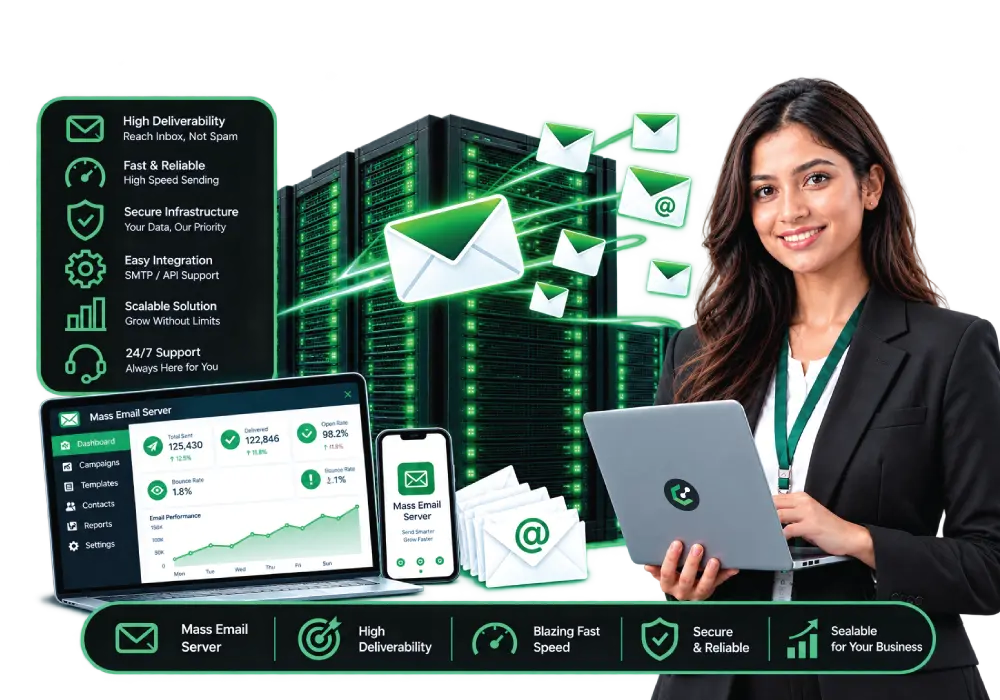
A mass email server is a mail server, built around a mail transfer agent (MTA), that is configured to send large volumes of email, such as newsletters, notifications and order messages, to recipients who have agreed to receive them. It queues messages, signs them, sends them from one or more IP addresses and processes bounces and complaints.
A mass email server is a delivery tool, not a way around spam filters. Whether the mail reaches an inbox depends on consent, authentication, sender reputation and list quality, and sending unsolicited bulk email is prohibited by laws and by provider policies.
Quick answer
Definition
A mail server (MTA) configured to queue, sign and send large volumes of permission-based email and handle bounces and complaints.
Main advantage
Control over sending IPs, domains, throttling and cost for senders with steady, high volumes and the skills to run it.
Main limitation
You own deliverability: reputation, authentication, list quality, compliance and abuse prevention are your responsibility.
Best suited for
Newsletters, transactional and notification email from businesses that have consent, a clean list and technical staff.
What is a mass email server?
A mass email server is a server running mail transfer software that is set up to deliver large volumes of email, such as newsletters, notifications and transactional messages, to recipients who have agreed to receive them.
Every email you send passes through a mail transfer agent (MTA). A normal mail server handles a modest flow of messages for people. A mass email server is tuned for volume: it keeps a queue of outgoing mail, controls how fast it sends to each receiving provider, rotates across sending IP addresses, signs messages and processes the bounces and complaints that come back.
- Built around an MTA: software that moves email between servers using SMTP.
- Volume-oriented: queuing, throttling and retry logic for thousands or millions of messages.
- Sending identity: your domain, DKIM keys and one or more IP addresses with their own reputation.
- Feedback-aware: bounce handling, complaint processing and unsubscribe handling keep your list clean.
- For permission-based mail: newsletters, notifications, receipts and updates sent to people who opted in or have a relationship with you.
- Not a mailbox service: it sends mail; it is not mainly for people to read and answer email.
Terminology note
"Mass email server" is used for several things: a server you run yourself with an MTA, a dedicated or VPS server sold for bulk sending, and, loosely, a bulk SMTP relay service. This guide uses it for a server you operate (or have managed) for high-volume, permission-based sending. It does not mean software for sending unsolicited email, which is spam and is prohibited by laws and by almost every hosting provider.
Mass email terms explained
Bulk email has its own vocabulary, and a handful of terms (MTA, SPF, DKIM, DMARC, reputation, warm-up, bounce and complaint) explain most of what matters.
| Term | What it means |
|---|---|
MTA |
Mail transfer agent: software that transfers email between servers using SMTP. |
SMTP |
The protocol used to send email. Servers commonly accept mail from other servers on port 25 and from senders’ applications on submission ports such as 587 or 465. |
Sending IP and reputation |
Receivers keep a history of how mail from an IP address and a domain has been treated. Good history helps delivery; complaints and blocklistings hurt it. |
Shared vs dedicated IP |
A shared IP is used by several senders; a dedicated IP is used only by you, so its reputation is yours alone. |
IP warm-up |
Gradually increasing sending volume from a new IP so receivers can build a picture of your mail. |
SPF |
A DNS record listing which servers may send mail for your domain. |
DKIM |
A cryptographic signature added to each message and verified using a public key in DNS. |
DMARC |
A DNS policy that tells receivers what to do with mail that fails SPF/DKIM alignment (none, quarantine or reject) and where to send reports. |
PTR (reverse DNS) |
A DNS record that maps a sending IP back to a hostname; many receivers check it. |
Bounce |
A message that could not be delivered. Hard bounces (permanent) should be removed from the list. |
Complaint (spam report) |
A recipient marking your message as spam. Receivers watch the rate closely. |
List-Unsubscribe |
A message header that lets mail clients show an unsubscribe control. One-click unsubscribe is defined in RFC 8058. |
Transactional vs marketing |
Transactional mail is triggered by a user action (receipts, password resets). Marketing mail is promotional or bulk content, and the rules for it are stricter. |
Blocklist (DNSBL) |
A list of IPs or domains reported for abuse that receivers may consult when filtering. |
How does a mass email server work?
A mass email server accepts messages from your application or campaign tool, queues them, signs and sends them from your IP addresses at a controlled pace, and processes the delivery results that come back.
Prepare the sending identity
Set up the domain, DNS records (SPF, DKIM, DMARC, PTR), TLS and the sending IPs before the first message.
Submit messages
Your application or campaign software submits messages to the server over SMTP or an API, with recipients drawn from a consented list.
Queue and throttle
The MTA queues messages and sends to each receiving provider at a rate it will accept, retrying temporary failures.
Sign and send
Messages are signed with DKIM and delivered from the chosen IP address over TLS, with the correct headers including unsubscribe options.
Receivers decide
Each mailbox provider checks authentication, reputation, complaint history and content, and then accepts, delays, filters to spam or rejects the message.
Process feedback
Bounces, complaints and unsubscribes are processed so that bad addresses and opt-outs are removed from future sends, and results are monitored.
Key facts at a glance
Core software
|
A mail transfer agent (MTA) using SMTP |
Authentication stack
|
SPF, DKIM and DMARC, plus valid reverse DNS and TLS |
Gmail bulk-sender threshold
|
Close to 5,000 or more messages a day to personal Gmail accounts, counted across the primary domain and its subdomains (Google) |
Spam-rate targets (Google) |
Keep user-reported spam rate below 0.1% and never reach 0.3% |
Unsubscribe handling |
Google and Yahoo ask for one-click unsubscribe and processing within 2 days; CAN-SPAM requires honoring requests within 10 business days |
Throughput example |
100,000 messages at 50 per second take 2,000 seconds, about 33 minutes, if receivers accept that pace |
Last reviewed |
13 October 2026 |
Requirements change. The figures above come from Google’s, Yahoo’s and the FTC’s published pages (see sources); check the current text before you rely on them.
What is inside a mass email server setup?
A mass email setup combines an MTA with DNS authentication, sending IPs, queue and rate controls, bounce and complaint processing, list management and monitoring.
| Component | Why it matters |
|---|---|
MTA software |
Moves the mail, manages queues and retries, and applies per-provider rate limits. Examples include open-source and commercial MTAs. |
Sending IPs |
Carry your reputation. Dedicated IPs separate it from other senders; more IPs spread volume but each needs warming. |
DNS records |
SPF, DKIM, DMARC and reverse DNS prove who you are and are checked by receivers. |
TLS |
Encrypts connections between servers; Google’s guidelines call for it. |
Throttling and queues |
Control speed per receiving domain so you do not overwhelm or alarm receivers. |
Bounce and complaint processing |
Updates the list automatically so you stop mailing invalid or unhappy recipients. |
List and consent records |
Store who opted in, when and how; handle unsubscribes and suppression lists. |
Campaign or application layer |
Software that builds and submits messages, tracks opens and clicks and schedules sends. |
Monitoring |
Postmaster dashboards, blocklist checks, logs and alerts for queue growth and error codes. |
Server resources |
CPU, RAM, disk and bandwidth sized for your volume and attachments or images. |
Mass email server vs email service provider vs business email hosting
A mass email server is infrastructure you run for sending, an email service provider (ESP) is a managed platform that runs it for you, and business email hosting provides mailboxes for people, so they solve different problems.
| Feature | Own mass email server | Email service provider (ESP) | Business email hosting |
|---|---|---|---|
What it is |
Server and MTA you operate or have managed |
Managed sending platform |
Mailboxes for staff |
Main purpose |
High-volume sending |
Campaigns and transactional sending with tools |
Person-to-person email |
IP and reputation |
Yours (dedicated IPs) |
Shared pools or optional dedicated IPs |
Provider’s |
Control |
Highest |
Moderate |
Low |
Setup and maintenance |
You (or a managed service) |
Provider |
Provider |
Scaling |
Add hardware and space; needs planning |
Order another server |
Fast, on demand |
Deliverability work |
Yours: warm-up, authentication, monitoring |
Shared with provider’s tools and team |
Not designed for bulk |
Cost pattern |
Server and IP fees, often flat; plus your time |
Usually per volume or contacts |
Per mailbox |
Best for |
Steady high volume and technical teams |
Teams that want tools and less operations work |
Daily staff email |
Do not use ordinary mailboxes or shared hosting email for bulk sending; providers set sending limits and can suspend accounts.
Types of mass email server setups
Mass email servers range from a VPS with a few IP addresses to a dedicated server with a large IP pool, and the right setup depends on volume, the number of sending domains and how much operations work you can take on.
| Setup | What you get | Typical fit |
|---|---|---|
Shared bulk SMTP relay |
Sending through a provider’s shared servers and IPs |
Small or irregular volume; less control |
VPS with dedicated IPs |
A virtual server with a small block of IPs |
Growing senders, a few domains, moderate volume |
Dedicated server with an IP pool |
A whole physical server and a larger set of IPs |
High volume, many domains or clients, tighter control |
Cloud instance |
Virtual server billed hourly or monthly |
Variable load; check provider policy and port 25 rules |
Managed mail server |
Provider helps configure and maintain the MTA |
Teams without mail-operations skills |
Colocated server |
Your own hardware in a data center |
Large, long-term senders with in-house expertise |
What receivers require from bulk senders
Major mailbox providers expect bulk senders to authenticate mail with SPF, DKIM and DMARC, to offer easy unsubscribe and to keep spam complaints low, and mail that does not meet these requirements may be delayed, filtered or rejected.
| Requirement | Google (Gmail) | Yahoo | Microsoft (Outlook.com) |
|---|---|---|---|
Who counts as a bulk sender |
Close to 5,000 or more messages a day to personal Gmail accounts; status is permanent |
Not defined on its best-practices page |
Mailboxes for staff |
Authentication |
SPF and DKIM; DMARC policy of at least p=none; From domain aligned |
SPF and DKIM for bulk senders; DMARC at least p=none; DKIM keys of at least 1024 bits |
SPF, DKIM and DMARC with at least p=none (per a secondary source) |
Unsubscribe |
One-click (RFC 8058) in marketing mail; honor requests within 2 days (recommended) |
List-Unsubscribe with one-click recommended; process within 2 days |
Not confirmed from an official source |
Spam rate |
Below 0.1%; never 0.3% or higher |
Below 0.3% |
Not confirmed from an official source |
Other |
TLS, valid forward and reverse DNS, RFC 5322 message format |
Valid sender information |
Non-compliant mail may be throttled, filtered or blocked |
- Transactional mail: Google exempts transactional messages from the one-click unsubscribe requirement, but it still expects authentication.
- Enforcement is gradual: Google states that it began ramping up enforcement on non-compliant traffic in November 2025, with faster timelines for new domains.
- Check the sources: Microsoft's requirements are shown from a secondary summary; read Microsoft's own announcement before you rely on them.
Meeting these rules is the minimum. They do not by themselves put you in the inbox.
Deliverability, IP reputation and warm-up
Deliverability is whether your email reaches the inbox, and with your own mass email server it depends mostly on your sender reputation, which you build through authentication, consent, list quality, engagement and a gradual increase in volume.
- Consent first: mail to people who asked for it gets fewer complaints, and complaints are among the strongest negative signals.
- Authenticate everything: SPF, DKIM and DMARC aligned with your From domain, plus valid reverse DNS and TLS.
- Warm up new IPs: start with small volumes to your most engaged recipients and increase gradually; receivers have no history for a new IP.
- Keep complaints low: as an illustration, 0.1% of 100,000 messages is 100 complaints and 0.3% is 300, so a single bad send can cross a threshold.
- Clean the list: remove hard bounces immediately and suppress unsubscribes; stop mailing long-inactive addresses.
- Separate mail types: consider separate domains or IPs for transactional and marketing mail so a marketing problem does not delay receipts.
- Monitor: use mailbox providers' postmaster tools, review DMARC reports, watch SMTP error codes and check blocklists.
- Content and links: clear sender identity, relevant subject lines and links to domains you control; avoid deceptive wording.
No one can promise the inbox
Each receiver makes its own decision using signals you do not control. Be cautious of any provider that promises guaranteed inbox placement. A good provider gives you clean IPs, tools and guidance; reputation is still earned by your own sending practices.
Legal basics, consent and acceptable use
Bulk email is regulated: laws such as CAN-SPAM in the United States, and consent and data-protection rules such as GDPR and India’s DPDP Act, set rules on consent, identification and opt-out, and hosting providers add their own acceptable use policies.
| CAN-SPAM requirement (FTC guide) | In practice |
|---|---|
MTA software |
“From”, “To”, “Reply-To” and routing information must be truthful and identify the sender. |
Non-deceptive subject lines |
The subject must reflect the content of the message. |
Identify the message as an ad |
Disclose clearly if the message is an advertisement. |
Include a valid postal address |
Your physical postal address must be in the message. |
Explain how to opt out |
A clear way to stop receiving marketing messages. |
Honor opt-outs promptly |
The opt-out must work for at least 30 days after sending and requests must be honored within 10 business days. |
Monitor third parties |
You cannot contract away legal responsibility for email sent on your behalf. |
- Penalties: the FTC states that each separate violating email can be subject to penalties of up to $53,088.
- Other laws: GDPR and the ePrivacy rules in Europe, India's Digital Personal Data Protection Act 2023, the UAE's Personal Data Protection Law and other national laws can apply depending on who you email and where you operate. Take legal advice.
- Provider policies: hosting providers prohibit unsolicited bulk email and can suspend servers that generate complaints or blocklistings. Read the acceptable use policy before you order.
- Records: keep proof of consent and handle opt-outs and data requests.
A mass email server must not be used to send spam, phishing or purchased-list mailings.
Benefits of running a mass email server
The main benefits are control over sending IPs, domains and pace, predictable costs at steady high volume and flexibility to integrate sending with your own systems.
Control of IPs and reputation
Dedicated IPs keep your reputation separate from other senders, so someone else's behavior does not affect you.
Throttling and routing control
Tune the sending rate per receiving provider and route mail by type or client.
Cost predictability
A flat server and IP fee can be easier to forecast than per-message pricing at high steady volume.
Integration freedom
Connect your own applications, templates and tracking without platform limits.
Data stays with you
Message logs and recipient data stay on infrastructure you control, in a location you choose.
Multiple domains and clients
Suited to agencies and platforms sending for several brands, with separate identities.
Custom software choice
Choose the MTA, campaign software and monitoring tools you prefer.
Scales with hardware and IPs
Add resources and IP blocks as volume grows, within the provider's policies.
Risks and limitations
The main risks are that deliverability, compliance and security become your responsibility, a new IP has no reputation, and a few bad sends can damage reputation quickly.
You own deliverability
Authentication, warm-up, monitoring and list hygiene are your job or your managed provider's.
New IPs start with no history
Warm-up takes time, and early mistakes are hard to undo.
Reputation is fragile
A spike in complaints or a blocklisting can delay mail to major providers.
Compliance risk
You are responsible for consent, opt-outs and records under the laws that apply to you.
Security and abuse risk
A compromised account or an open relay can be used to send spam in your name.
Operational skills needed
Running an MTA, DNS and monitoring takes expertise that an ESP would otherwise supply.
If you send small volumes, lack mail-operations skills or have an unvetted list, an ESP is usually a safer start.
What is a mass email server used for?
Legitimate uses include newsletters, transactional messages, notifications and alerts, and sending on behalf of several brands, always to recipients who have a relationship with the sender.
Newsletters and updates
Content sent to subscribers who opted in.
Why: volume with steady scheduling
Transactional email
Receipts, order confirmations, password resets and invoices.
Why: speed and reliability matter
Notifications and alerts
Application, monitoring and account alerts.
Why: triggered at scale by systems
Marketing campaigns
Promotions to consented customers.
Why: control over cost and sending domains
Agencies and platforms
Sending for several clients with separate identities.
Why: IP and domain separation
Educational and community mail
Schools, associations and communities updating members.
Why: large lists with existing relationships
E-commerce lifecycle messages
Abandoned-cart reminders and shipping updates, with proper consent.
Why: automated, event-driven sending
Self-hosted campaign tools
Running software such as newsletter or campaign managers on your own infrastructure.
Why: you need a reliable sending server behind them
What it is not for
Unsolicited commercial email, mailings to purchased or scraped lists, phishing and any message that disguises its sender. These break laws and provider policies, and they lead to blocklisting and account termination.
When do you need your own mass email server?
You need your own mass email server when your volume is high and steady, you have consented lists and the skills to manage reputation, and an ESP no longer fits your cost, control or data requirements.
Signals it may be time to consider one
- Your per-message ESP bill has grown large for a steady volume.
- You need dedicated IPs and control over which mail shares them.
- You send for several brands or clients and need separate identities.
- You need message data to stay in a specific country or on your own infrastructure.
- You want to integrate sending with in-house systems or self-hosted campaign software.
- You have staff who can manage authentication, warm-up and monitoring.
- You have clean, consented lists and low complaint rates today.
- You need custom throttling or routing that your ESP does not allow.
If you are unsure, test with an ESP first, measure your complaint and bounce rates and compare the cost per thousand messages with your own server’s total cost.
How much does a mass email server cost?
The cost depends on the server type, the number of IP addresses, bandwidth, software, management and your own time, so there is no single price, and per-message ESP pricing and flat server pricing behave differently as volume grows.
Server type
VPS or dedicated server, sized for volume.
IP addresses
Number and size of the IP block; dedicated IPs usually cost more.
Bandwidth
Monthly transfer and port speed for large sends with images or attachments.
MTA and campaign software
Open-source is free to license; commercial MTAs and tools carry fees.
Management
Managed services add cost but reduce your workload.
Deliverability tools
Monitoring, list validation and blocklist checks.
Warm-up time
Weeks of reduced sending while reputation builds.
Compliance and legal
Consent records, policies and legal advice.
Your staff time
Setup, monitoring and handling incidents.
How to compare fairly
Work out the total monthly cost of each option (server, IPs, software, management, tools and staff time) and divide by the messages you send to get a cost per thousand. Compare with ESP pricing at the same volume. Any price you see should state its currency, date and what it excludes.
Security and abuse prevention
A mass email server is an attractive target for abuse, so it needs strong authentication, closed relay settings, rate limits, monitoring and a plan for handling compromised accounts.
Close the relay
Only authenticated users or approved systems should be able to send through the server.
Strong credentials
Use long unique passwords or keys, and multi-factor authentication where the software allows.
Rate limits and alerts
Limit per-account sending and alert on unusual spikes that could signal a compromise.
Patch the stack
Keep the operating system, MTA and web applications updated.
Protect DNS and keys
Secure registrar and DNS accounts and store DKIM private keys carefully.
Monitor reputation
Watch postmaster dashboards, DMARC reports and blocklists.
Log and retain
Keep delivery logs to investigate incidents and complaints.
Back up
Back up configuration, keys and suppression lists, and test restores.
Managed vs unmanaged mass email servers
On an unmanaged mass email server you install and operate the MTA and its DNS and monitoring yourself, while on a managed one the provider helps with some or all of that work.
| Unmanaged | Managed | |
|---|---|---|
What it means |
The provider supplies the server and network; you run everything else. |
The provider also assists with MTA setup and maintenance, per the plan. |
Customer responsibilities |
MTA, DNS authentication, warm-up, monitoring, list hygiene, compliance. |
Lists, consent, content, compliance and any tasks not covered. |
Provider responsibilities |
Hardware, power, network. |
Hardware plus agreed configuration, updates and support. |
Best for |
Teams with mail-operations skills. |
Teams that want to focus on campaigns. |
Cost |
Lower service fee; uses your time. |
Higher service fee; saves time. |
“Managed” has no standard definition, so ask exactly what is included. Even on a managed plan, consent and content remain yours.
How to choose a mass email server provider
Choose a provider by checking its acceptable use policy and abuse handling first, then IP quality and allocation, port and relay rules, authentication support, bandwidth, location, management scope, support and total cost.
Acceptable use and abuse policy
Clear rules, complaint handling and what happens if you breach them.
IP quality and allocation
Number of IPs, block size, history and blocklist status of the addresses.
Port 25 and relay rules
Whether outbound SMTP is open and under what conditions.
Reverse DNS
Can you set PTR records for each sending IP?
Authentication support
SPF, DKIM and DMARC setup guidance or help.
Server resources
CPU, RAM, disk and bandwidth for your volume.
Software choice
Which MTA and control panels are supported.
Location
Latency to recipients and where data physically sits.
Management scope
What is configured, monitored and supported.
SLA and support
Uptime commitments, support hours and response times.
Scaling
How to add IPs or resources and how long it takes.
Total cost
Server, IPs, software, management and your staff time.
Mass mailing servers at Lease Packet
Lease Packet is a global infrastructure provider that offers mass mailing servers, as VPS and dedicated server plans with dedicated IP addresses, alongside dedicated, cloud and GPU servers and colocation from data centers in Globally

About Lease Packet.
Lease Packet (Lease Packet Datacenter Pvt. Ltd.) provides server and data center infrastructure to businesses worldwide. Mass mailing servers are for legitimate, permission-based sending and are subject to Lease Packet's terms and acceptable use policy.
The guide above is neutral and applies to any provider. If you are evaluating Lease Packet, use the same checklist and ask in writing about the IP allocation, outbound port rules, reverse DNS, management scope, acceptable use policy, abuse handling and SLA.
What Lease Packet offers around mass mailing
VPS and dedicated plans
Plans with different IP allocations, from a small block on a VPS to larger pools on a dedicated server.
Dedicated IP addresses
IP blocks that carry your own reputation. Their history and blocklist status should be checked before you send.
Related infrastructure
Dedicated, cloud and colocation options if your mail system grows.
Mail software licensing
Email server software such as SmarterMail is available as a license.
Data protection alignment
Data handling is aligned with GDPR, India's DPDP Act 2023 and the UAE PDPL. Your own compliance depends on how you collect consent and operate your lists.
Written terms
Plan details, acceptable use, support and uptime terms are set out in your order and our SLA.
How to get started with Lease Packet
Describe your sending
Share the type of mail, expected daily volume, number of domains, list source and consent method, and preferred location.
Choose a plan or request a quote
Pick a plan or ask a specialist to recommend a configuration and send a written quote.
Review the terms
Check IP allocation, port rules, acceptable use, management scope and SLA.
Set up, authenticate and warm up
Configure DNS records, test authentication and ramp up volume gradually.
Mass email server FAQs
A mass email server is a mail server, built around a mail transfer agent (MTA), that is configured to send large volumes of email, such as newsletters, notifications and transactional messages, to recipients who have agreed to receive them.
Your application or campaign software submits messages to the server, which queues them, signs and sends them from your IP addresses at a controlled pace, retries temporary failures and records bounces, complaints and unsubscribes.
A mass email server is infrastructure that you operate, or have managed, to send mail, whereas an email service provider (ESP) is a managed platform that runs the sending infrastructure and usually adds tools for campaigns, templates and analytics.
Business email hosting provides mailboxes for people to send, receive and read email, while a mass email server is built to send large volumes of automated or campaign email.
A bulk SMTP relay is a service that accepts your messages over SMTP and delivers them on your behalf from the provider’s own servers and IP addresses, so you do not run the sending infrastructure yourself.
An MTA, or mail transfer agent, is software that moves email between servers using SMTP, and it is the core of any mail server, including a mass email server.
SMTP, the Simple Mail Transfer Protocol, is the protocol used to send email between servers and from applications to servers. Servers typically accept mail from other servers on port 25, and applications submit mail on port 587 or 465.
SPF lists which servers may send mail for your domain, DKIM adds a cryptographic signature that receivers can verify, and DMARC tells receivers how to treat mail that fails these checks and requires the authenticated domain to align with the visible From domain.
DMARC alignment means the domain authenticated by SPF or DKIM matches the domain in the visible From header, and the policy (none, quarantine or reject) tells receivers what to do with mail that fails.
Reverse DNS, or a PTR record, maps a sending IP address back to a hostname, and receivers commonly check that the IP and hostname match in both directions, which Google lists among its requirements.
Google treats a sender as a bulk sender if it sends close to 5,000 messages or more to personal Gmail accounts within a 24-hour period, counting mail from the same primary domain including its subdomains.
Both expect authentication with SPF and DKIM, a DMARC policy of at least none with aligned domains, an easy way to unsubscribe and low spam complaint rates, and Google also requires TLS and valid forward and reverse DNS.
According to a secondary summary of Microsoft’s announcement, senders of more than 5,000 emails a day to Outlook.com domains need SPF, DKIM and a DMARC policy of at least none that aligns with SPF or DKIM, with non-compliant mail at risk of throttling, filtering or blocking.
The List-Unsubscribe header is an email header that lets mail clients show an unsubscribe control, and one-click unsubscribe, defined in RFC 8058, lets the recipient unsubscribe with a single action that your server handles through an HTTPS request.
Google asks senders to keep the user-reported spam rate below 0.1% and not to reach 0.3%, and Yahoo says to stay below 0.3%, so a lower rate is safer.
A dedicated IP is an IP address used only by you, so its reputation depends only on your own sending, while a shared IP is used by several senders and shares their reputation.
IP warm-up means gradually increasing the volume you send from a new IP address, starting with your most engaged recipients, so that mailbox providers can build a picture of your mail; there is no fixed duration, and it depends on your volume and results.
There is no single number: throughput depends on server resources and MTA settings, but in practice it is limited by how fast receiving providers will accept your mail, which depends on your reputation.
Send only to people who have agreed to hear from you, authenticate with SPF, DKIM and DMARC, warm up new IPs, keep complaints and bounces low, clean your list and monitor your reputation.
Common causes are missing or failing authentication, a new or poor sender reputation, high complaint or bounce rates, a poor-quality or purchased list, misleading content, and sending too much too quickly from a new IP.
A blocklist, or DNSBL, is a list of IP addresses or domains reported for abuse that receivers may check when filtering mail, and to get delisted you fix the cause and follow the process that the list operator publishes.
A hard bounce is a permanent delivery failure, such as an address that does not exist, and a soft bounce is a temporary failure, such as a full mailbox or a server problem.
Yes, it is legal in many countries to send bulk email that complies with the applicable laws, which commonly cover consent, accurate sender information, identification of advertising and a working opt-out.
CAN-SPAM requires accurate header information, non-deceptive subject lines, identification of the message as an ad, a valid postal address, a clear way to opt out, prompt handling of opt-outs, and monitoring of any company that sends on your behalf.
In many places you need some form of consent or an existing relationship, and mailbox providers expect you to mail only people who want your messages, so the safe practice is to use clear opt-in and keep proof of it.
You should not: purchased and scraped lists typically lack consent, produce high bounce and complaint rates, can break laws and provider policies, and can lead to blocklisting and the suspension of your server.
Not reliably: shared hosting and ordinary mailbox accounts usually have sending limits and policies against bulk mail, and bulk sending from them can lead to suspension and damage the reputation of shared IPs and your domain.
Some hosting and cloud providers block or restrict outbound port 25 by default because it is widely abused to send spam, and you can ask the provider about its policy, conditions for opening it, or using an authenticated relay.
You need an MTA to send mail, DNS records for authentication, and usually campaign or application software that builds and submits messages, manages lists and unsubscribes and processes bounces, along with monitoring tools.
Needs depend on volume, message size and software, but sending is usually limited more by network and reputation than by CPU, so size for your queue, logs, message storage and bandwidth, and test with your real workload.
The cost depends on the server type, the number of IP addresses, bandwidth, software, management and your own time, so there is no single price.
It can be at high, steady volumes, because a flat server and IP fee spreads over many messages, but at low or irregular volumes an ESP is often cheaper once you count setup, warm-up and your own time.
Yes, it is a common good practice, because it keeps a problem with marketing mail from delaying important transactional messages such as receipts and password resets.
Close the relay so only authenticated users can send, use strong credentials, limit per-account sending, keep software patched, protect DNS and DKIM keys, monitor for unusual activity and keep backups.
A managed mass email server is one where the provider helps with some or all of the setup and maintenance, such as installing the MTA, configuring DNS records and keeping software updated, according to the plan.
The rules for cold email vary by country and by audience, and many providers prohibit or restrict it, so you should check the law and your provider’s acceptable use policy first, and expect higher complaint risk than with consented mail.
Receivers may delay, filter or reject your mail, and your hosting provider may investigate and suspend the server if it breaches the acceptable use policy, so you should stop the problem send, find the cause and fix it.
Check the provider’s acceptable use and abuse policies first, then IP quality and allocation, outbound port and reverse DNS rules, authentication support, resources, location, management scope, support and total cost.
Lease Packet is a global infrastructure provider offering dedicated servers, cloud and VPS servers, GPU servers, mass mailing servers and colocation from data centers in Globally.
Yes, Lease Packet offers mass mailing servers as VPS and dedicated server plans with dedicated IP addresses, for legitimate permission-based sending under its terms and acceptable use policy.
Prepare a description of your mail, expected daily volume, number of sending domains, how your list was built and how consent is recorded, plus your DNS access and your plan for authentication and warm-up.
Is a mass email server right for you?
A mass email server is right when you send high, steady volumes of permission-based email and have the skills to manage reputation and compliance; otherwise an email service provider is usually the safer choice.
Choose business email hosting if…
You need mailboxes for staff to read and reply to email, not bulk sending.
Choose an ESP if…
You send small or irregular volumes, want built-in tools and prefer the provider to run the infrastructure.
Choose your own mass email server if…
Your volume is high and steady, your lists are consented and clean, and you can run authentication, warm-up and monitoring (or buy managed help).
Do not send until you fix…
Missing consent, purchased or scraped lists, or no way to honor unsubscribes. No server will make that mail acceptable.
Planning high-volume email sending?
Tell us about your mail, volume and list consent, and we will recommend a setup and prepare a quote. Lease Packet provides mass mailing servers for permission-based sending.
- No lock-in contract
- 24/7 Sales support