 USD ($)
 INR (₹)
 SAR (SAR)
 AED (AED)

What is a RDP Server?
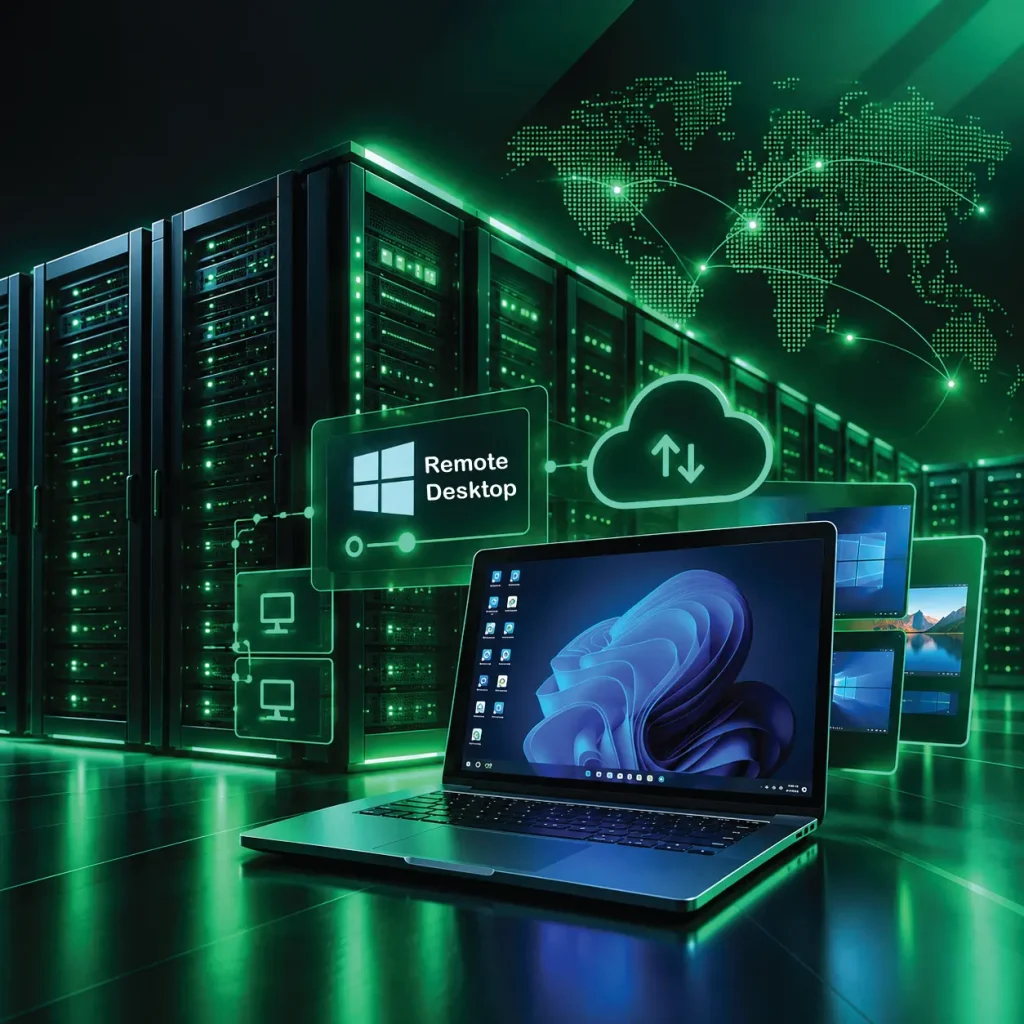
An RDP server is a computer, usually running Windows, that accepts Remote Desktop Protocol (RDP) connections so a user can see and control its desktop from another device over a network. The applications run on the server; only the screen and the user’s keyboard and mouse input travel over the connection.
The term is also used for a rented Windows server sold with RDP access. It is commonly used for remote work desktops, hosting Windows applications, server administration and software that must run continuously.
Quick answer
Definition
A computer, usually running Windows, that accepts Remote Desktop Protocol connections so users can control its desktop remotely.
Main advantage
Access a full Windows desktop or application from any supported device while the work runs on a remote server.
Main limitation
Licensing and security need planning: multi-user access needs RDS licenses, and RDP should not be exposed directly to the internet.
Best suited for
Remote work desktops, shared Windows applications, server administration and software that must run continuously.
What is an RDP server?
An RDP server is a computer or server that runs software to accept Remote Desktop Protocol connections, letting a user sign in and work on it as if sitting at its screen.
Most RDP servers run Windows, where the capability is built in. When a user connects, the server creates a session, runs the applications and sends the display to the user’s device. The user’s keyboard and mouse input go back the other way. This is why a modest laptop, tablet or phone can operate a powerful remote Windows machine.
- A server role, not a product: any machine that accepts RDP connections is acting as an RDP server.
- Usually Windows: Microsoft built RDP, though other systems can accept RDP with extra software.
- Session-based: each user signs in to a session with an account on the server.
- Remote processing: applications run on the server, using its CPU, memory and storage.
- Network-dependent: the experience depends on bandwidth, latency and the server's resources.
- Also a market term: RDP server" or "RDP hosting" often means a rented Windows server provided with RDP access.
Terminology note
In this guide, RDP is the protocol, an RDP server is the Windows (or other) machine that accepts RDP connections, and an RDP client is the software used to connect. Remote Desktop Services (RDS) is Microsoft's platform for delivering multi-user desktops and applications. An RDP VPS is a Windows VPS accessed through RDP.
RDP, RDP server, RDP client and RDS: what's the difference?
RDP is the protocol, the RDP server accepts connections, the RDP client makes them, and Remote Desktop Services is Microsoft’s multi-user platform built on RDP.
| Term | What it means |
|---|---|
RDP (Remote Desktop Protocol) |
The Microsoft network protocol that carries the remote desktop session: display, input, clipboard, audio and devices. |
RDP server |
The computer or software that accepts RDP connections and hosts the sessions. |
RDP client |
The program on the user’s device that connects to the server, such as Windows’ Remote Desktop Connection. |
Remote Desktop Services (RDS) |
A Windows Server platform that delivers multi-user desktops and applications over RDP, with role services such as Session Host and Gateway. |
RDP hosting / RDP VPS |
A commercial label for a rented Windows server, often a VPS, provided with RDP access. Not a technical standard. |
How does an RDP server work?
A client connects to the RDP server over the network, the user authenticates, and the server then streams the session’s screen to the client while receiving keyboard and mouse input.
The server is set up to accept RDP
Remote Desktop is enabled on the machine, and the accounts that may use it are allowed. RDP listens on TCP port 3389 by default.
The client connects
The user opens an RDP client and enters the server's address. If a VPN or gateway protects the server, the user connects through that.
The user authenticates
With Network Level Authentication, credentials are checked before the full session starts. Multi-factor authentication can be added through a gateway or identity system.
A session is created
The server starts a session for that user, with its own desktop, and applies any permissions and limits.
Screen updates flow to the client
The server sends compressed display information; the client sends keyboard, mouse and optionally clipboard, audio or device data back.
Work happens on the server
Applications run using the server's resources. When the user disconnects, the session can be ended or kept running, depending on settings.
Key facts at a glance
Protocol |
Remote Desktop Protocol (RDP), developed by Microsoft |
Default port |
TCP 3389 (some traffic can also use UDP on the same port) |
Gateway access |
Remote Desktop Gateway delivers RDP over HTTPS on TCP 443 (Microsoft Learn) |
Default Windows Server sessions
|
Two concurrent remote administration sessions |
Multi-user hosting |
Requires the RDS Session Host role and RDS CALs |
CAL types |
Per user or per device; a 120-day grace period applies before a license server is required (Microsoft Learn) |
Last reviewed |
9 October 2026 |
Facts above are checked against Microsoft Learn and NSA documentation listed in the sources. Licensing and product details can change, so confirm current terms with Microsoft.
Types of RDP server setups
RDP servers range from a single Windows machine used for administration to multi-user Remote Desktop Services farms, and the right setup depends on how many people connect and what they run.
| Setup | Concurrent users | Licensing note | Best for |
|---|---|---|---|
Windows Server, administrative Remote Desktop |
Two sessions by default |
Intended for administration; Windows Server licensed |
Managing the server |
RDS Session Host |
Many, in separate sessions |
RDS CALs for each user or device |
Shared desktops and applications |
Windows client PC (Pro or higher) |
Typically one remote session |
Client OS license |
Reaching your own office PC |
Windows VPS or cloud server with RDP |
Depends on edition and configuration |
Provider may include or add the Windows license |
Single users, small teams, always-on software |
Dedicated Windows server with RDS |
Many, with predictable resources |
Windows plus RDS CALs |
Heavier or larger multi-user workloads |
VDI (virtual desktop infrastructure) |
One virtual machine per user |
Depends on the VDI platform |
Personalized, isolated desktops |
What is Remote Desktop Services (RDS)?
Remote Desktop Services is Microsoft’s Windows Server platform for delivering multi-user desktops and applications over RDP, with the processing kept in the data center.
RD Session Host
Runs multiple isolated user sessions and RemoteApp programs on Windows Server.
RD Connection Broker
Manages sessions, balances load and reconnects users to existing sessions.
RD Gateway
Provides RDP access over HTTPS on TCP 443 without opening port 3389, and supports multi-factor authentication.
RD Web Access
A web portal listing the desktops and applications a user may open.
RD Licensing
Issues and tracks the Client Access Licenses (CALs) required for legal use.
RD Virtualization Host
Hosts pooled or personal virtual desktops using Hyper-V.
RDP server vs VPS, dedicated server, VNC, SSH and other tools
An RDP server is not an alternative to a VPS or dedicated server, because RDP is how you access a Windows machine, while VNC, SSH and third-party tools are other ways to access machines remotely.
RDP vs VPS and dedicated servers
| You are asking about… | It is… |
|---|---|
RDP |
A protocol for accessing a remote Windows desktop. |
VPS |
A hosting type: a virtual server on shared physical hardware. A Windows VPS is usually accessed with RDP and sold as an “RDP VPS”. |
Dedicated server |
A hosting type: a whole physical server for one customer. With Windows Server it can run RDP or full Remote Desktop Services. |
Cloud server |
A hosting type: a virtual server drawn from pooled infrastructure, often accessed with RDP when it runs Windows. |
RDP vs other remote access methods
| Feature | RDP | VNC | SSH | Third-party tools |
|---|---|---|---|---|
What you get |
Graphical Windows desktop session |
Shared graphical screen |
Encrypted command line |
Desktop sharing or control |
Typical operating system |
Windows (clients on many systems) |
Cross-platform |
Linux and Unix, also available elsewhere |
Cross-platform |
Session model |
Typically separate user session |
Typically mirrors an existing screen |
Terminal session |
Varies by product |
Default port |
TCP 3389 |
Commonly 5900 |
TCP 22 |
Varies; often via vendor service |
Built in |
Yes, on Windows |
Usually installed separately |
Common on Linux servers |
Installed separately |
Best for |
Windows servers and desktops |
Cross-platform screen access |
Server administration |
Support and ad hoc access |
Security note |
Do not expose directly; use NLA, VPN or gateway |
Protect with VPN or tunnel |
Use keys and restrict access |
Depends on vendor and settings |
No method is universally better; the right one depends on the operating system, the number of users and your security requirements.
Benefits of an RDP server
The main benefits are access to a full Windows desktop or application from almost any device, centralized management and the ability to keep software running on a remote machine.
Work from any supported device
The heavy processing stays on the server, so a basic laptop or tablet can use demanding Windows software.
Centralized applications and data
Software and files live in one place, which simplifies updates and reduces data kept on personal devices.
Built into Windows
The server capability and a client are included with Windows, with clients available for other platforms.
Always-on workloads
Programs can keep running on the server after you disconnect, depending on session settings.
Multi-user hosting
With Remote Desktop Services, many users can work in separate sessions on one server.
Device and clipboard redirection
Printers, drives, audio and the clipboard can be shared between the local device and the session when allowed.
Faster onboarding
Microsoft lists quick onboarding of temporary staff and contractors as a common use of RDS.
Controlled access
Gateways, group policies and permissions let administrators limit who can reach what.
Limitations of an RDP server
The main trade-offs are licensing complexity, security exposure if misconfigured, dependence on network quality and the resource limits of a single server.
Licensing can be complex
Multi-user access needs a licensed Windows Server and RDS CALs, and the rules depend on the version and setup.
A common attack target
Exposed RDP ports are widely scanned. Without hardening, weak passwords or unpatched systems can be exploited.
Network quality matters
Slow or unstable connections and high latency reduce responsiveness, especially for graphics or video.
Shared server resources
In multi-user setups, one heavy session can affect others unless limits are configured.
Not ideal for everything
Some graphics-heavy, low-latency or real-time workloads need specialized solutions.
Administration effort
Unmanaged servers need patching, backups, monitoring and user management by you.
An RDP server is a tool, not a security measure or a performance boost on its own; results depend on how it is configured and maintained.
Who should use an RDP server?
RDP servers suit people and organizations that need Windows desktops or applications accessed remotely, centrally managed or kept running continuously.
Remote and hybrid teams
Staff need a consistent workspace from different devices and locations.
Why: one managed desktop, many access points
Businesses running Windows applications
Line-of-business or legacy software is hard to install on every device.
Why: install once, access centrally
Contractors and temporary staff
Short-term workers need access without storing data on their own devices.
Why: quick onboarding and revocation
IT administrators
Servers must be managed remotely.
Why: graphical access to Windows servers
Traders and automation users
Trading platforms and scripts need to stay online.
Why: continuous operation away from a home PC
Developers and testers
Windows test environments are needed on demand.
Why: isolated, disposable Windows machines
Training and education providers
Many learners need identical desktops.
Why: standard images, central updates
Regulated or sensitive environments
Data should stay in a controlled location.
Why: data remains on the server, with audit options
RDP server licensing: Windows and RDS CALs
Running an RDP server needs a licensed Windows operating system, and hosting multiple users through Remote Desktop Services needs RDS Client Access Licenses (CALs) for each user or device that connects.
Licensing is the most overlooked part of RDP hosting. Microsoft’s documentation explains the key rules:
- RDS CAL requirement: each user and device connecting to an RDS Session Host needs a CAL, issued by a Remote Desktop Licensing server.
- Two types: per-user CALs are assigned to users in Active Directory, and per-device CALs to physical devices.
- Grace period: Microsoft describes a 120-day licensing grace period during which no license server is required; after it, clients need a valid CAL.
- Version compatibility: a CAL works with session hosts of the same or earlier Windows Server versions, not later ones.
- Administrative access: Windows Server allows two concurrent remote administration sessions by default; more users require the RDS role and CALs.
| Per-device CAL | Per-user CAL | |
|---|---|---|
Assigned to |
A physical device |
A user in Active Directory |
Often suits |
Shared computers used across shifts |
Users with their own devices |
Revocation |
Up to 20% can be revoked |
None can be revoked |
Tracking in a workgroup |
Tracked by the license server |
Cannot be tracked in a workgroup |
Check before you buy
Ask any provider whether the Windows license and RDS CALs are included, which Windows Server version is used and how many users the price covers. Licensing terms change, so confirm current rules with Microsoft or an authorized licensing partner. This guide is not legal or licensing advice.
How much does an RDP server cost?
The cost of an RDP server varies with the server’s resources, the Windows license, any RDS CALs and the level of management, so there is no single price.
CPU and RAM
Sized to the number of simultaneous users and their applications.
Storage
Capacity and type: SSD or NVMe, plus any extra volumes.
Windows license
Windows Server edition and version, included or added by the provider.
RDS CALs
Per-user or per-device licenses for multi-user setups.
Bandwidth and network
Transfer allowance and port speed, which affect session quality.
Location
Distance to users affects latency and sometimes price.
Backups and security
Backup storage, DDoS protection and monitoring options.
Server type
VPS, cloud server or dedicated server, with different cost profiles.
Support and management
Managed services add to the price but save administration time.
How to compare prices fairly
Request quotes for the same Windows version, resources, number of users, licenses, location and term, in one currency. Any price you see should state its market, currency and date.
RDP server security
An RDP server can be secure when it is patched, authenticated and hidden behind a VPN or gateway, but it should not be exposed directly to the internet with port 3389 open.
The NSA’s advisory on the BlueKeep vulnerability (CVE-2019-0708), published in June 2019, is a well-known example. It affected older Windows versions including Windows 7, Windows XP and Windows Server 2003 and 2008, and Microsoft described it as wormable. The recommended mitigations still form a sound baseline:
Patch promptly
Run supported Windows versions with current updates on both servers and clients.
Disable RDP if not needed
Turn off Remote Desktop services on machines that do not require them.
Enable Network Level Authentication
Require valid credentials before a full session is created.
Block TCP 3389 at the perimeter
Do not leave the RDP port open to the internet; reach it through a VPN or gateway.
Use RD Gateway or a VPN with MFA
Microsoft notes RD Gateway can provide RDP over HTTPS on TCP 443 with multi-factor authentication.
Lock out repeated failures
Apply account lockout and monitor failed sign-ins.
Apply least privilege
Review who is in the Remote Desktop Users and administrator groups and remove unused accounts.
Back up and monitor
Keep protected backups and log sign-ins, new administrators and firewall changes.
Changing the RDP port is not real protection on its own. Security depends on configuration and maintenance, not on RDP or the hosting type alone.
Managed vs unmanaged RDP servers
On an unmanaged RDP server you administer Windows, security and users yourself, while on a managed server the provider handles some or all of that work.
| Unmanaged | Managed | |
|---|---|---|
What it means |
The provider supplies the server and network; you run Windows and everything on it. |
The provider also helps administer the operating system and services, per the plan. |
Customer responsibilities |
Windows updates, security hardening, user accounts, licensing compliance, backups. |
Applications, user access and tasks not covered by the service. |
Provider responsibilities |
Hardware, power, network and the virtualization platform. |
The platform plus agreed tasks such as patching, monitoring and support. |
Best for |
Teams with Windows administration skills. |
Businesses without in-house server expertise. |
Cost |
Lower service fee; uses your time. |
Higher service fee; saves time. |
“Managed” has no single definition, so read exactly what is included.
How to choose an RDP server
Choose an RDP server by defining how many users will connect and what they will run, then matching the Windows version, licensing, resources, location, security and support to that.
Number of concurrent users
Decides whether administrative sessions suffice or RDS with CALs is needed.
Windows Server version
Match the version to your applications and licensing.
Licenses included
Confirm Windows and RDS CALs, and per-user or per-device terms.
CPU and RAM
Pilot with real users and measure usage per session, then add headroom.
Storage type
SSD or NVMe for responsiveness; plan capacity for profiles and data.
Location and latency
Choose a region close to users and within data residency needs.
Bandwidth
Allowance and port speed suited to session traffic and file transfers.
Access method
VPN, RD Gateway or IP allowlisting instead of open port 3389.
Security options
MFA support, firewall, DDoS protection and patching process.
Backups
Frequency, retention and off-server storage.
Management and support
Managed or unmanaged, hours and response times
SLA and acceptable use
Uptime commitment, and the provider's rules on permitted use.
How to connect to an RDP server
To connect to an RDP server, open an RDP client, enter the server’s address, and sign in with an account that is allowed to use Remote Desktop.
Get the connection details
You need the server's IP address or hostname, a username and a password, and any VPN or gateway details if used.
Open an RDP client
Windows includes Remote Desktop Connection. Microsoft provides clients for other systems, and Linux users can use tools such as Remmina or FreeRDP.
Connect to the VPN or gateway first, if required
If the server is not exposed to the internet, connect through the VPN or RD Gateway before starting the session.
Enter the address and sign in
Type the server address, then your credentials. Approve any multi-factor prompt.
Verify the server's identity
If you see a certificate warning on first connection, confirm it with your provider before accepting.
Sign out when finished
Sign out rather than just closing the window if you want to free the server's resources.
RDP and Windows servers at Lease Packet
Lease Packet is a global infrastructure provider that offers cloud and VPS servers, dedicated servers, GPU servers and colocation from data centers in India and Dubai, UAE, which can be configured for remote access workloads.

About Lease Packet.
Lease Packet (Lease Packet Datacenter Pvt. Ltd.) provides server and data center infrastructure to businesses worldwide. Services are configured around the customer's workload and quoted individually, instead of being sold only as fixed, off-the-shelf packages.
The guide above is neutral and applies to any provider. If you are evaluating Lease Packet for an RDP workload, use the same checklist and ask: which Windows Server version is offered, whether Windows and RDS licensing are included, how many users the configuration supports, how access is secured and what the SLA promises.
What Lease Packet offers around an RDP server
Cloud and VPS servers
Virtual servers configured for your workload, with the operating system, resources and region confirmed in a quote.
Dedicated servers
Whole physical servers for heavier or multi-user workloads that need predictable performance.
Remote access and application delivery
Related licensing options such as TSplus for publishing applications over remote access. Availability and scope are confirmed per configuration.
Protection and backup options
Options include SSL certificates and Acronis backup, confirmed per configuration.
Data protection alignment
Data handling is aligned with GDPR, India's DPDP Act 2023 and the UAE PDPL. Your own compliance still depends on how you configure and operate your server.
Clear commercial terms
Management scope, licensing, backup, security options and uptime commitments are set out in your written quote and our SLA.
How to get a server for RDP from Lease Packet
Describe your workload
Share how many users will connect, which applications they need, and where they are located.
Receive a configuration and quote
A specialist recommends a server type and options and sends a written quote you can compare with other providers.
Review licensing and terms
Check the Windows version, RDS licensing, security options, management scope and SLA.
Provisioning and handover
The server is provisioned and access details are provided to you.
RDP server FAQs
An RDP server is a computer, usually running Windows, that accepts Remote Desktop Protocol (RDP) connections so a user can see and control its desktop from another device over a network.
RDP stands for Remote Desktop Protocol, a network protocol developed by Microsoft for connecting to the graphical interface of another computer.
An RDP client connects to the server over the network, the user signs in, and the server sends screen updates to the client while the client sends keyboard and mouse input back.
RDP listens on TCP port 3389 by default.
RDP is the protocol, while an RDP server is the machine or software that accepts connections using that protocol.
RDP servers are used to run Windows desktops and applications remotely, administer servers, give staff or contractors access to work software, and keep programs running continuously on a remote machine.
They are not direct alternatives: a VPS is a type of hosting, while RDP is a protocol used to access a Windows machine.
A dedicated server is a whole physical machine, whereas an RDP server is any Windows system that accepts RDP connections, which could run on a dedicated server, a VPS or a cloud server.
RDP is Microsoft’s protocol that typically gives each user their own session on a Windows machine, while VNC is a platform-independent screen-sharing protocol that typically mirrors an existing screen.
RDP provides a graphical desktop, while SSH provides encrypted command-line access and is the usual remote access method for Linux servers.
RDP is a protocol built into Windows that connects to a machine’s own address, while tools like TeamViewer and AnyDesk are third-party products that typically connect through the vendor’s service.
RDP can be used securely, but it is not safe to expose directly to the internet without protection, because attackers actively scan for open RDP ports and try stolen or guessed passwords.
Generally no: the NSA’s advisory on the BlueKeep vulnerability recommended blocking TCP port 3389 at perimeter firewalls and enabling Network Level Authentication.
Network Level Authentication is a Windows setting that requires a user to authenticate before a full remote session is created.
No: changing the port may reduce automated scanning noise, but it does not replace authentication, patching or network controls.
By default, Windows Server allows two concurrent Remote Desktop sessions intended for administration, and more users require the Remote Desktop Services (RDS) Session Host role and licenses.
Yes: the Windows operating system must be licensed, and each user or device that connects to an RDS Session Host needs a Remote Desktop Services Client Access License (RDS CAL).
A per-user CAL is assigned to a user, while a per-device CAL is assigned to a physical device.
Some editions can accept a remote connection, but they are generally limited to one remote session at a time and are not designed for hosting multiple users.
Yes, Linux can accept RDP connections with software such as xrdp, although the experience and features differ from a Windows host.
RDP is the protocol, while Remote Desktop Services is Microsoft’s Windows Server platform for delivering multi-user desktops and applications over RDP.
A Remote Desktop Gateway is a Windows Server role that lets external users reach internal RDP servers over HTTPS on TCP 443 without exposing port 3389.
RDP hosting usually means a rented Windows server, often a VPS or cloud server, provided with RDP access so you can use it as a remote desktop.
Many traders run platforms such as MetaTrader on a remote Windows server so that the software stays online without their own computer.
There is no universal figure: requirements depend on the number of simultaneous users and the applications they run.
The cost depends on the server’s resources, the Windows license, any RDS CALs, bandwidth, location, backups, support and the level of management.
Open an RDP client, enter the server’s address, and sign in with an account allowed to use Remote Desktop.
Yes, you can run any software compatible with the Windows version installed, subject to its license terms.
Not always: backups are frequently an optional add-on or the customer’s responsibility, so check what your plan includes.
Yes, using an RDP server is legal for lawful purposes, provided you follow the provider’s acceptable use policy and software license terms.
Alternatives include virtual desktop infrastructure, browser-based remote access, SSH for Linux servers, VNC and third-party remote access tools.
Lease Packet is a global infrastructure provider offering dedicated servers, cloud and VPS servers, GPU servers and colocation from data centers in India and Dubai, UAE.
Lease Packet offers cloud and dedicated servers that can be configured for remote access workloads, and the Windows Server version, licensing and number of users are confirmed in a written quote.
Is an RDP server right for you?
An RDP server is right when you need Windows desktops or applications accessed remotely, and a different tool is better when you only need command-line, cross-platform or ad hoc access.
Choose a Windows VPS or cloud server with RDP if…
One user or a small team needs a Windows desktop, trading platform or test machine, with flexible sizing.
Choose a dedicated server with Remote Desktop Services if…
Many users share Windows desktops or applications, need predictable performance, and you can manage licensing and security or buy management.
Choose SSH or a Linux server if…
You only need command-line administration or run Linux applications, and a graphical Windows desktop is not required.
Choose VDI or another remote access tool if…
Each user needs an isolated personal desktop, cross-platform access or short-term support sessions.
Need help sizing a Windows server for RDP?
Tell us how many users, which applications and which location, and we will recommend a configuration and prepare a quote. Lease Packet provides servers from data centers in Globally
- No lock-in contract
- 24/7 Sales support