 USD ($)
 INR (₹)
 SAR (SAR)
 AED (AED)

What is a CloudLinux License?
A CloudLinux license is a paid subscription that lets one server run CloudLinux OS, a commercial Linux distribution for web hosting, and receive its features and updates, sold per server in editions for 1, 5 or unlimited hosting accounts. It is registered with CloudLinux Network either by an activation key or by the server’s IP address.
It is software licensing, not hosting. On hosting plans that run on CloudLinux, the provider holds the license for you.
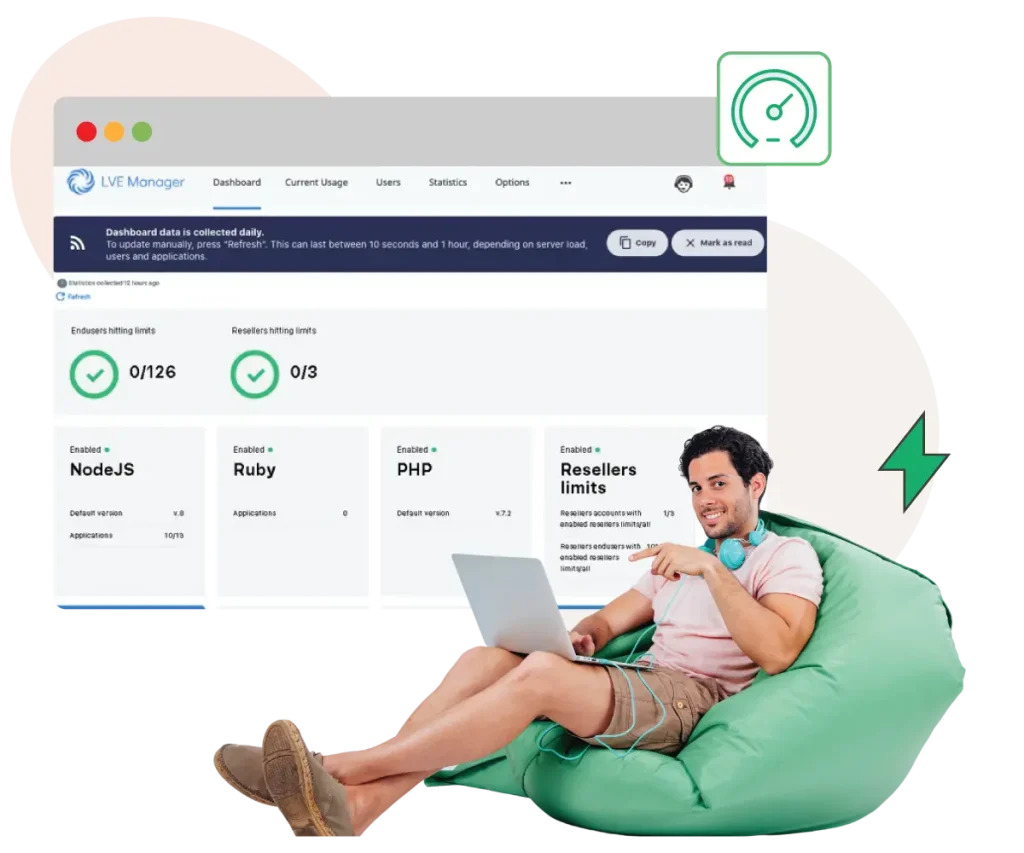
Quick answer
Definition
A paid per-server subscription to run CloudLinux OS, sold by hosting-account count.
Main advantage
Per-account isolation and, in the larger editions, resource limits, so one site is less able to slow or expose others.
Main limitation
A recurring fee per server, no resource limits on Solo beyond inodes, and no replacement for patching, scanning or backups.
Best suited for
Hosting providers, agencies and server owners running several customer accounts on cPanel, Plesk, DirectAdmin or similar panels.
What is a CloudLinux license?
A CloudLinux license is the paid subscription that authorises a server to run CloudLinux OS, sold as an edition that sets the number of hosting accounts and features, and registered with CloudLinux Network by a key or by the server’s IP address.
According to Wikipedia, CloudLinux OS is a commercial Linux distribution marketed to shared hosting providers and developed by CloudLinux, Inc., first released in January 2010. A license is what turns a trial or a converted server into a supported, updated installation.
- Software, not hosting: the license gives you no server, bandwidth or website support.
- Sold by account count: 1, 5 or unlimited hosting accounts per server, under older or newer edition names.
- Per server: CloudLinux's pricing page bills each tier per server, per month, with volume tiers.
- Key or IP: a license is registered with an activation key or tied to the server's IP address.
- Included on managed plans: when a hosting plan runs on CloudLinux, the provider holds the license for you.
Terminology note
CloudLinux license here means the software subscription for a server you run yourself. CloudLinux OS is the operating system it unlocks. Hosting on CloudLinux means a hosting plan where the provider runs the server.
CloudLinux license terms explained
A few terms explain most CloudLinux licensing: edition, hosting account, CloudLinux Network, activation key, IP-based license, LVE, CageFS, cldeploy and the registration commands.
| Term | What it means |
|---|---|
Edition |
A license level (Solo, Admin, Legacy or Shared Pro) that sets the account limit and the feature set. |
Hosting account |
The unit CloudLinux’s pricing page uses to size a tier; the documentation reviewed does not define it. |
CloudLinux Network (CLN) |
The CloudLinux portal where licenses are bought and servers are registered. |
Activation key |
A code used with rhnreg_ks to register a server; the same key can also convert a server to CloudLinux. |
IP-based license |
A license tied to the server’s IP address and registered with clnreg_ks, with no key to enter. |
LVE |
A kernel-level technology that limits the resources each hosting account can use. |
CageFS |
A virtualized file system that isolates each user in their own cage. |
cldeploy |
The script that converts a supported server to CloudLinux, with -k for a key or -i for an IP-based license. |
cldetect –check-license |
The command providers and panel vendors describe for checking license status. |
Legacy (Shared) |
The older unlimited-account edition, renamed from Shared in 2024. |
Extended Lifecycle Support (ELS) |
Extra support for an operating-system version after standard support ends, such as CloudLinux OS 7 to 30 June 2027. |
CloudLinux Manager |
The management interface and tool set that activation unlocks, which needs a control panel for its web UI. |
How does a CloudLinux license work?
You buy an edition for your server, register the server with CloudLinux Network using a key or its IP address, and the server then uses the license to unlock CloudLinux features and updates while CloudLinux Network validates it.
Check the platform
Confirm a supported operating system, an x86 server, a supported virtualization type and a supported control panel, or none for Solo.
Pick an edition
Choose by how many hosting accounts the server will run: 1, 5 or unlimited.
Buy a license
Buy in CloudLinux Network, through your control-panel vendor or from a provider; the route decides key or IP type.
Register or convert
Run rhnreg_ks with the key or clnreg_ks for an IP license, or convert an existing server with cldeploy.
Reboot and verify
After conversion, reboot into the CloudLinux kernel and run cldetect --check-license.
Keep it valid
Renew on time, keep the IP and network path stable and recheck after changes.
Key facts at a glance
What it is |
A paid per-server subscription to run CloudLinux OS |
Editions |
Solo: 1 account · Admin: up to 5 · Legacy (Shared) and Shared Pro: unlimited (CloudLinux documentation, 23 Oct 2026) |
Pricing page names |
1, 5 and Unlimited Hosting Accounts, per server per month with volume tiers (read 23 Oct 2026) |
Registration |
Activation key (rhnreg_ks) or IP-based (clnreg_ks) |
Trial |
30 days free; credit card needed for a $1.00 authorization hold on the Shared Pro trial |
Conversion sources |
CentOS 7, AlmaLinux 8 to 10, Rocky Linux 8 to 9; same major version only |
Latest OS |
CloudLinux OS 10, released 17 October 2025, supported to 31 May 2035 |
Not covered by docs |
Lapse behavior, moving an IP-based license and the definition of a hosting account |
What does CloudLinux actually do on a server?
CloudLinux puts each hosting account inside its own isolated environment, using LVE to limit the CPU, memory, disk and process resources that account can use and CageFS to give it a private view of the file system.
| Component | What it does (per CloudLinux documentation or provider descriptions) |
|---|---|
LVE |
Kernel-level limits per account: CPU speed, physical and virtual memory, IO, IOPS, entry processes, number of processes and inodes |
What happens at a limit |
CPU and IO limits slow the site; memory and process limits can cause 500 or 503 errors; the entry-process limit produces 508 errors |
CageFS |
A virtualized file system that isolates each user in their own cage |
PHP Selector |
Lets an account choose its PHP version and settings (provider description) |
MySQL Governor |
Tracks and limits database resource use per account (provider description) |
SecureLinks, HardenedPHP |
Hardening components listed in the edition table |
Website monitoring, Slow Site analyzer, PHP X-Ray |
Diagnostic tools in CloudLinux Manager; X-Ray is not listed for Legacy |
AccelerateWP |
A WordPress speed tool listed for Solo, Admin and Shared Pro; Wikipedia reports it was announced for production on 25 October 2022 |
Centralized Monitoring |
Listed for Shared Pro only |
These descriptions come from CloudLinux’s edition table and LVE documentation and from hosting providers. Providers’ statements that CloudLinux “prevents” attacks are marketing claims; the documentation does not promise that.
CloudLinux license vs CloudLinux hosting vs other CloudLinux products
A CloudLinux license is software you buy for a server you manage, hosting on CloudLinux is a service where the provider holds the license, and products such as Imunify360, KernelCare and AccelerateWP are listed separately from the license tiers on CloudLinux’s pricing page.
| Consideration | CloudLinux license (own server) | Shared or managed hosting on CloudLinux | Imunify360 / KernelCare |
|---|---|---|---|
What you get |
Right to run and update CloudLinux OS on one server |
A hosting account on the provider’s licensed server |
Separate security and patching products |
Who holds the license |
You, or your provider on your behalf |
The hosting provider |
Sold and licensed separately |
What you manage |
The server, control panel, accounts and security |
Your own website |
Depends on the product and your setup |
Server needed |
Yes (VPS, cloud or dedicated) |
No |
Yes |
Best for |
Hosting businesses, agencies, server owners |
Individual sites |
Servers needing extra protection layers |
CloudLinux license editions: Solo, Admin, Legacy and Shared Pro
As read on 23 October 2026, CloudLinux’s documentation lists Solo for one hosting account, Admin for up to five, and Legacy (Shared) and Shared Pro for unlimited accounts, with Shared Pro carrying the full feature set.
| Feature (documentation table) | Solo | Admin | Legacy (Shared) | Shared Pro |
|---|---|---|---|---|
Hosting accounts |
1 |
Up to 5 |
Unlimited |
Unlimited |
Resource limits (LVE) |
No, except inodes |
Yes, disabled by default |
Yes |
Yes |
Reseller limits |
No |
No |
Yes |
Yes |
CageFS |
Yes |
Yes |
Yes |
Yes |
MySQL Governor |
No |
No |
Yes |
Yes |
PHP Selector |
Yes |
Yes |
Yes |
Yes |
Ruby Selector |
No |
Yes |
Yes |
Yes |
SecureLinks |
No |
Yes |
Yes |
Yes |
PHP X-Ray |
Yes |
Yes |
No |
Yes |
AccelerateWP |
Yes |
Yes |
No |
Yes |
Centralized Monitoring |
No |
No |
No |
Yes |
24/7 support |
Yes |
Yes |
Yes |
Yes |
Python, Node.js and Ruby selectors work only on cPanel, DirectAdmin and custom panels with their own integration, per the documentation’s notes. Re-check CloudLinux’s edition page before ordering, because features and names change.
Old and new CloudLinux edition names
CloudLinux’s pricing page now labels its tiers by account count, as 1, 5 and Unlimited Hosting Accounts, while the documentation, control-panel vendors and many providers still use Solo, Admin and Shared Pro, and Shared became Legacy in 2024.
| Older name (documentation) | Pricing page label (read 23 Oct 2026) | Account limit |
|---|---|---|
Solo |
1 Hosting Account (formerly Solo) |
1 |
Admin |
5 Hosting Accounts (formerly Admin) |
Up to 5 |
Shared Pro |
Unlimited Hosting Accounts (formerly Shared Pro) |
Unlimited |
Legacy (Shared) |
Not listed on the pricing page |
Unlimited |
LowEndBox reported on 14 July 2024 that the Shared license was renamed Legacy and that development would focus on Shared Pro, Solo and Admin, with the CEO saying Legacy would not be discontinued. EuroVPS, a hosting provider, reported a 5 percent Legacy price increase from 1 January 2026; treat that as a provider notice and confirm with CloudLinux. When you compare quotes, match by account limit and features, not by name.
Activation key vs IP-based CloudLinux license
A key-based CloudLinux license is registered with an activation key using rhnreg_ks, while an IP-based license is tied to the server’s IP address and registered with clnreg_ks and no key.
| Consideration | Key-based | IP-based |
|---|---|---|
Registration |
yum install rhn-setup –enablerepo=cloudlinux-base, then /usr/sbin/rhnreg_ks –activationkey= |
/usr/sbin/clnreg_ks (cPanel’s article uses clnreg_ks –force) |
What identifies the server |
The key you entered |
The server’s public IP address |
Conversion command |
bash cldeploy -k ACTIVATION_KEY |
sh cldeploy -i |
Changing edition |
rhnreg_ks –force –activationkey= |
clnreg_ks –force |
Typical purchase route |
CloudLinux Network or a provider that issues keys |
cPanel store purchases are IP-based, per cPanel; others vary |
If the IP changes |
Not stated in the documentation reviewed |
Stack Harbor lists an IP change as a cause of license mismatch |
Key handling |
Keep keys private; Solo keys carry a CLSOLO- prefix |
No key to protect |
The documentation reviewed does not explain IP-based licensing beyond the commands, and it does not say how to move or remove an IP. Confirm both with CloudLinux or your provider before changing servers.
Where to buy a CloudLinux license, and the trial
You can buy a CloudLinux license in CloudLinux Network under Billing then Purchase, through a control-panel vendor such as cPanel or Plesk, or from a hosting provider or reseller, and CloudLinux offers a 30-day free trial.
| Route | What the sources say |
|---|---|
CloudLinux Network |
Billing, Purchase: choose the number of server licenses, pick monthly or yearly payment, add to cart, Pay Now; prices drop as license count rises; monthly and yearly cannot be mixed for one product in one account |
cPanel |
Licenses bought from cPanel are IP-based, so you register with /usr/sbin/clnreg_ks –force |
Plesk |
Licenses bought with the CloudLinux OS extension after 15 November 2022 are registered automatically; others need manual registration |
Provider or reseller |
Terms, support and key or IP type are set by the provider; ask for them in writing |
Trial |
30 days free; Shared Pro trial needs a card and a $1.00 authorization hold; billing starts when it ends unless cancelled |
Upgrading a CloudLinux Network account to Shared PRO converts existing CloudLinux OS licenses and can be reverted, per the purchase documentation.
Converting a server to CloudLinux: requirements and warnings
CloudLinux’s documentation lists CentOS 7, AlmaLinux 8 to 10 and Rocky Linux 8 to 9 as conversion sources, keeps the same major version, rejects ARM CPUs, and says to take a tested backup because the –uninstall option is not an automatic rollback.
| Item | CloudLinux documentation (read 23 Oct 2026) |
|---|---|
Supported sources |
CentOS 7, AlmaLinux 8 to 10, Rocky Linux 8 to 9 (returning to Rocky is not supported) |
Not supported as sources |
CentOS 8, CentOS Stream, Rocky Linux 10; RHEL is not listed |
Version change |
Same major version; not an upgrade path |
Hardware |
ARM CPUs are not supported; replacing hardware may stop CloudLinux booting |
Control panels |
cPanel, Plesk, DirectAdmin, CyberPanel, InterWorx, Webuzo, AdminBolt; others not guaranteed |
SELinux |
Not supported on CloudLinux 6 and 7; supported on 8 and later but may conflict with panels |
ZFS |
Limited; LVE IO limits do not work with ZFS |
Before you start |
Tested backup, console or rescue access, maintenance window, no other package operations, fix existing repository or panel errors |
Commands |
wget the cldeploy script, then bash cldeploy -k KEY or sh cldeploy -i; reboot; check uname -r |
Warnings |
Do not use skip flags; do not delete lock files to retry; –uninstall is not an automatic rollback |
Rehearse on a clone and keep a snapshot. The documentation also describes a possible kernel panic when converting AlmaLinux 10 on some Intel CPUs with IBT, with a documented recovery.
Which operating systems and control panels does CloudLinux support?
As read on 23 October 2026, CloudLinux’s documentation lists CloudLinux OS 7 to 10 as current, with version 10 released on 17 October 2025 and supported to 31 May 2035, and lists cPanel, Plesk, DirectAdmin and several other panels.
| CloudLinux OS version | Support dates (CloudLinux documentation) |
|---|---|
6 |
Standard support ended 30 November 2020; Extended Lifecycle Support to 30 June 2024 |
7 |
Standard support ended 30 June 2024; Extended Lifecycle Support to 30 June 2027 |
8 |
End of life 31 May 2029 |
9 |
End of life 31 May 2032 |
10 |
Released 17 October 2025; end of life 31 May 2035 |
Solo |
Requires CloudLinux OS Solo 8 or later (released 1 June 2021, end of life 31 May 2029) |
The documentation says CloudLinux OS follows the Red Hat Enterprise Linux life cycle policy. KnownHost, a hosting provider, lists minimum panel versions of cPanel 11.94 and Plesk Obsidian 18.0.33 and notes that ISPmanager needs its own license; treat those as a provider’s figures. Solo can also run with no control panel, though a graphical interface then requires installing one. Choose an operating-system version with years of support remaining and confirm the panel supports it.
What affects the cost of a CloudLinux license?
Cost depends on the edition, the number of servers, the billing term, whether you buy from CloudLinux or a provider and what is bundled, and because prices change, this guide quotes none and tells you what to compare.
Edition
Account count decides the tier.
Number of servers
CloudLinux's page shows volume tiers as servers grow.
Billing term
CLN offers monthly or yearly; the pricing page shows monthly.
Route to purchase
Direct, control-panel vendor or provider.
Bundles
Imunify360, KernelCare and AccelerateWP are listed separately.
Currency and tax
The pricing page showed a $ sign without naming a currency.
Renewals
Trial billing renews monthly when it ends.
Legacy pricing
A provider reported a 5% rise from 1 January 2026.
Support scope
Who fixes license errors, and how fast.
Reading the pricing page
CloudLinux's pricing page, last modified 28 May 2026 as read, bills per server per month with lower prices at higher server counts, and tells you to choose a tier by hosting-account count. Providers may quote different terms. Compare quotes on the same edition, license type, term, currency and tax treatment.
Fixing CloudLinux license problems
If a CloudLinux license fails, run cldetect –check-license, re-register with rhnreg_ks –force for a key or clnreg_ks –force for an IP-based license, check the server can reach CloudLinux’s servers, and contact CloudLinux or your provider if it still fails.
| Symptom or check | What provider and vendor articles say |
|---|---|
Check status |
cldetect –check-license; a failing result reads No valid license found, last successful check was on a date (Plesk support) |
Invalid System Credentials |
Re-run rhnreg_ks –activationkey= –force (Plesk support) |
License not found for key/IP |
For a key, run rhnreg_ks –activationkey=; for an IP-linked license, run clnreg_ks –force (ISPmanager) |
Limits not enforced |
Stack Harbor reports LVE enforcement can stop without an alert; it suggests checking license status and running lvectl apply all |
Outdated rhn client tools |
cPanel has a support article on an activation failure with this error |
Network |
Check outbound access to repo.cloudlinux.com and CloudLinux Network (general check) |
Escalate |
CloudLinux’s support portal, or your provider with the exact error text |
CloudLinux’s documentation pages reviewed do not cover license-status checks, lapse behavior or error lists, so the fixes above come from control-panel vendors and hosting providers. Try them on a test server first and keep a record of the exact messages.
Security: a license is not a safeguard
A CloudLinux license does not secure your server: it enables isolation and limits that reduce how far one account can reach, but you must still patch, scan, back up and restrict access.
What CloudLinux's isolation does and does not do
CloudLinux describes CageFS as isolating each user in their own cage. Providers such as Namecheap say this contains a compromised account, but those are vendor claims without published tests. Isolation limits what an account can see; it does not remove weak passwords, outdated plugins or an unpatched control panel.
Patch quickly
Keep the operating system, control panel and sites updated.
Keep the license valid
Activation gives access to updates, per CloudLinux's documentation.
Add other layers
Use a web application firewall, malware scanning and monitoring.
Limit access
Use least-privilege accounts and restrict panel access by IP where possible.
Back up and test
Restore a backup in a test before you need it.
Use genuine licensing
Unofficial keys risk losing updates and support.
Benefits of a CloudLinux license
The main benefits are per-account isolation, resource limits that can stop one site slowing the rest, per-account language versions, monitoring and diagnostic tools, a 30-day trial and vendor-maintained updates.
Account isolation
CageFS gives each user a private file view.
Resource limits
LVE limits CPU, memory, IO, IOPS and processes.
Per-account PHP
PHP Selector lets accounts pick versions.
Diagnostics
Slow Site analyzer, PHP X-Ray and website monitoring.
Editions by scale
From one account to unlimited.
Panel support
cPanel, Plesk, DirectAdmin and others are listed.
Trial first
Test for 30 days before paying.
Updates
Activation unlocks system updates.
Limitations of a CloudLinux license
The main limitations are the recurring per-server cost, edition feature gaps, no automatic conversion rollback, unclear lapse and IP-move behavior in the documentation reviewed, platform limits such as no ARM, and the fact that it does not secure or back up the server.
Recurring cost
A subscription on top of the server cost.
Edition gaps
Solo has no LVE limits except inodes; Admin lacks MySQL Governor.
Conversion risk
--uninstall is not an automatic rollback.
Unclear behavior
Docs reviewed do not cover lapse or IP moves.
Platform limits
No ARM; ZFS limited; SELinux caveats.
Not security
Patching and backups are still on you.
Who needs a CloudLinux license?
Anyone running several customer accounts on their own VPS or dedicated server who wants per-account limits and isolation needs a license, from a small agency to a hosting company, while people on hosting that already runs CloudLinux do not.
Hosting providers
Many customer accounts per server.
Why: Shared Pro or Legacy
Agencies
A handful of client accounts.
Why: Admin, up to five
Single-customer servers
One account, many sites.
Why: Solo
Resellers
Reseller-owned accounts need limits.
Why: reseller limits in Legacy and Shared Pro
WordPress-heavy servers
Many WordPress sites.
Why: AccelerateWP, X-Ray
Noisy-neighbor problems
One account slows the server.
Why: LVE limits
Mixed PHP needs
Accounts need different PHP versions.
Why: PHP Selector
Not everyone
Single-site owners on shared hosting.
Hosting already includes it
When should you add or change a CloudLinux license?
Consider a CloudLinux license when one account regularly slows the server, you host several customer accounts, you need per-account PHP versions or isolation, or you are moving between Solo, Admin and Shared Pro as your account count changes.
- One site's load keeps slowing the others.
- You host more than a few customer accounts on one server.
- Customers need different PHP versions.
- You want accounts isolated from each other.
- You are close to the Admin five-account limit.
- You need reseller limits or centralized monitoring.
- You are on Legacy and need X-Ray or AccelerateWP.
- A renewal or price change prompts a review.
Measure before you buy: record load, memory and which accounts cause spikes, then test CloudLinux on a clone during the trial.
CloudLinux vs a standard Linux server
CloudLinux OS adds per-account limits and isolation for hosting at a recurring cost, while a standard RHEL-compatible distribution such as AlmaLinux or Rocky Linux has no CloudLinux license fee but needs other tools if you want similar controls.
| Consideration | CloudLinux OS (licensed) | Standard AlmaLinux or Rocky Linux |
|---|---|---|
Per-account limits and isolation |
LVE and CageFS, by edition |
Not provided by CloudLinux features; other tools needed |
License cost |
Recurring per server |
No CloudLinux license |
Control panels |
cPanel, Plesk, DirectAdmin and others listed |
Panel vendors list supported systems |
Conversion |
cldeploy from CentOS 7, AlmaLinux 8 to 10, Rocky 8 to 9 |
Not needed |
Relationship |
CloudLinux released the first AlmaLinux beta in 2021 |
Governed by the AlmaLinux OS Foundation since 30 March 2021 (Wikipedia) |
Best for |
Multi-account hosting |
Single-purpose servers |
Test on a spare server before deciding, and weigh the license fee against your support load.
How to choose and buy a CloudLinux license
Count your hosting accounts, pick the matching edition, confirm your operating system, panel and CPU are supported, decide whether you want a key or an IP-based license, and confirm term, support and renewal in writing.
Count accounts
Include growth and ask how suspended accounts count.
Match the edition
Solo, Admin, Legacy or Shared Pro by limit and features.
Check the platform
Supported OS version, x86 CPU, virtualization and panel.
Key or IP
Ask which type you receive and what happens if the IP changes.
Choose the route
CloudLinux, panel vendor or provider; ask about partner status.
Term and billing
Monthly or yearly, renewal date, currency, tax.
Bundles
Is Imunify360, KernelCare or AccelerateWP included or extra?
Support
Who handles license errors and how fast.
Trial and refund
Use the trial; know the refund window.
Lapse behavior
Ask what happens if renewal fails.
Moves and transfers
How the license follows a server migration.
Conversion plan
Backup, snapshot, maintenance window, rollback plan.
CloudLinux licenses at Lease Packet
Lease Packet is a global infrastructure provider whose CloudLinux license page lists Solo, Admin and Shared Pro licenses for shared hosting, VPS and dedicated servers, describes itself as an authorized reseller, and offers the servers to run them on.

About Lease Packet.
Lease Packet (Lease Packet Datacenter Pvt. Ltd.) provides server and data center infrastructure and related services to businesses worldwide, with customers in India, the UAE and Saudi Arabia, according to its website.
The guide above is neutral and applies to any provider. If you are evaluating Lease Packet, use the same checklist and ask in writing about edition and account limit, key or IP type, term, bundles, price, currency, renewal, refund and support for license errors. See the CloudLinux license page for current details.
What Lease Packet lists for CloudLinux
CloudLinux licenses
Solo, Admin and Shared Pro.
Authorized reseller
The page says Lease Packet is an authorized reseller; confirm status in your agreement.
Shared, VPS and dedicated
Licenses are listed for all three.
Control panels
The page names cPanel, Plesk and DirectAdmin among supported platforms.
Migration and support
Free migration for eligible workloads and 24/7 support are listed; confirm the scope.
Custom quote
The page offers a custom quote and a callback.
How to get started with Lease Packet
Tell us your server
Share the server type, operating system, control panel and number of hosting accounts.
Choose an edition
Pick the edition that covers your accounts, or ask for a custom quote.
Review the terms
Check key or IP type, term, currency, renewal, refund and support in writing.
Register and verify
Register the server, reboot if converting, and confirm with the license check.
CloudLinux license FAQs
A CloudLinux license is a paid subscription that lets a server run CloudLinux OS, a commercial Linux distribution for web hosting, and receive its features and updates. It is sold per server, in editions for 1, 5 or unlimited hosting accounts.
CloudLinux OS is a commercial Linux distribution built for web hosting servers. It isolates hosting accounts from one another and, in most editions, can limit the resources each account uses.
CloudLinux Network, often shortened to CLN, is the CloudLinux portal where licenses are bought, billed and registered, and where servers are tied to a license.
You buy a license for an edition, register the server with CloudLinux Network using an activation key or its IP address, and the server then uses the license to unlock CloudLinux features and updates.
CloudLinux’s documentation lists four editions: Solo for a single hosting account, Admin for up to five, Legacy (Shared) for unlimited accounts, and Shared Pro for unlimited accounts with the full feature set.
Solo is for one hosting account and has no LVE resource limits except inode limits, Admin is for up to five accounts with LVE limits disabled by default, and Shared Pro is for unlimited accounts with the full feature set.
CloudLinux OS Shared was renamed CloudLinux OS Legacy in 2024, and CloudLinux said it would keep supporting shared hosting providers under that name while focusing new development on Shared Pro, Solo and Admin.
CloudLinux’s pricing page labels its tiers by account count, as 1 Hosting Account (formerly Solo), 5 Hosting Accounts (formerly Admin) and Unlimited Hosting Accounts (formerly Shared Pro), while the documentation still uses the older names.
CloudLinux’s pricing page says to choose a tier by how many hosting accounts you support, but the documentation reviewed does not define a hosting account, so confirm the counting rule with CloudLinux or your provider.
LVE is, in CloudLinux’s documentation, a kernel-level technology developed by the CloudLinux team that limits the resources each hosting account can use, so that no single website can bring down the web server.
CageFS is, in CloudLinux’s words, a virtualized file system and a set of tools designed to isolate each user in their own cage, giving each customer a separate, fully functional environment.
PHP Selector lets each hosting account choose its own PHP version and settings, and MySQL Governor tracks and limits database resource use per account, according to hosting providers’ descriptions of CloudLinux.
No. CloudLinux OS is commercial software that needs a paid license after the 30-day trial, although a hosting plan that runs on CloudLinux may include it in the plan price.
CloudLinux’s pricing page lists each tier per server per month, with lower prices as the number of servers grows. This guide quotes no figures because they change and providers set their own quotes.
Yes. CloudLinux offers a free 30-day trial; its trial page covers Shared Pro and requires a credit card for a $1.00 authorization hold, and the Solo documentation says Solo trial keys are valid for 30 days.
A key-based license is registered with an activation key, while an IP-based license is tied to the server’s IP address and registered with a command that needs no key.
Install the rhn-setup package from the cloudlinux-base repository, then run rhnreg_ks with your activation key, or run clnreg_ks if the license is IP-based.
Run cldetect –check-license as root; control-panel vendors and hosting providers describe it as the check for license status.
CloudLinux’s documentation reviewed does not say, but Stack Harbor reports that LVE enforcement can stop without an obvious alert while cldetect still shows CloudLinux as installed.
CloudLinux’s documentation reviewed does not cover moving or removing an IP, so ask CloudLinux or your provider. A key-based license is registered with a key, while an IP-based license depends on the licensed IP.
These messages mean the server could not be identified or validated by CloudLinux Network, and the fix described by Plesk’s support is to run the registration again with your key.
Yes, if it runs a supported source system. CloudLinux’s documentation lists CentOS 7, AlmaLinux 8 to 10 and Rocky Linux 8 to 9, and conversion keeps the same major version rather than upgrading it.
Not automatically. CloudLinux’s documentation says the –uninstall option is not an automatic rollback, and restoring the pre-conversion state requires a backup or virtual machine snapshot.
As read on 23 October 2026, CloudLinux’s documentation lists CloudLinux OS 7 with extended support to 30 June 2027, versions 8 and 9 supported to 31 May 2029 and 31 May 2032, and version 10, released 17 October 2025, to 31 May 2035.
CloudLinux’s conversion documentation lists cPanel, Plesk, DirectAdmin, CyberPanel, InterWorx, Webuzo and AdminBolt, and says other panels are not guaranteed.
For Solo, yes. CloudLinux’s Solo documentation lists no control panel as supported and notes that a graphical interface requires installing one.
cPanel’s support article says licenses bought from cPanel are IP-based, so after purchase you install rhn-setup if needed and run /usr/sbin/clnreg_ks –force to register the server.
Plesk’s support article says licenses purchased with the CloudLinux OS extension after 15 November 2022 are registered automatically, while licenses bought without it need manual registration.
No. CloudLinux’s Solo activation page says the Solo key works only for CloudLinux OS Solo 8, and using it to register CloudLinux OS Shared 6, 7 or 8, or to convert CentOS 6, 7 or 8 to Shared, causes errors.
Yes. CloudLinux describes Solo as a distribution for VPS or dedicated servers, and Hostinger offers CloudLinux OS 8 and CloudLinux OS 8 Solo VPS templates that you activate yourself.
Usually not. A single-site server gains little from per-account limits, and Solo is built for one hosting account and has no LVE limits except inodes.
No. A license enables isolation and limits that reduce how far one account can affect others, but you must still patch the operating system and control panel, scan for malware, restrict access and keep backups.
No. CloudLinux’s pricing page lists Imunify360, KernelCare and AccelerateWP as separate products alongside the CloudLinux OS license tiers.
AlmaLinux is a community-governed distribution whose first beta CloudLinux released in February 2021, while CloudLinux OS is a commercial distribution with hosting-specific features such as LVE and CageFS.
It is not required, but it is common: CloudLinux OS was built for shared hosting, and LVE and CageFS target the problem of one account affecting the others.
Yes, in principle. CloudLinux’s documentation says changing editions uses rhnreg_ks –force –activationkey=<new_key> for key-based licenses or clnreg_ks –force for IP-based ones, and Shared Pro needs a CloudLinux Network account upgrade.
CloudLinux Network lets you choose monthly or yearly payment when you buy, but you cannot buy monthly and yearly licenses for the same product in one account.
No. Unofficial keys are unlicensed, may breach CloudLinux’s terms and put the server at risk of losing updates and support, so use only a license from CloudLinux or an authorized provider.
No. CloudLinux’s conversion documentation says ARM CPUs are not supported, so a license for an ARM server would have nothing to run on.
SELinux is not supported on CloudLinux OS 6 and 7, and is supported on version 8 and later, though CloudLinux’s documentation warns it may conflict with control panels.
Lease Packet’s CloudLinux license page lists CloudLinux licenses for shared hosting, VPS and dedicated servers and describes Lease Packet as an authorized reseller, which you should confirm in writing.
Ask which edition and account limit you are buying, whether the license is key-based or IP-based, the term and renewal price, how it moves if the server or IP changes, and who supports license errors.
Contact Lease Packet with your server type, operating system, control panel and number of hosting accounts, and it will recommend an edition and prepare a quote.
Is a CloudLinux license right for you?
A CloudLinux license suits you if you run several customer accounts on your own server and want per-account limits and isolation; if you host one site, hosting on CloudLinux or a standard Linux server may be simpler and cheaper.
Buy a license if…
You run your own server with several customer accounts and one account can affect the rest.
Use hosting on CloudLinux if…
You only manage your own site and want the provider to run the server.
Choose Shared Pro if…
You host many accounts and want the full feature set.
Choose Solo if…
You run one hosting account with many sites on a VPS or dedicated server.
Reconsider if…
You host one site or have a tight budget; a standard Linux server may do.
Need a CloudLinux license for your server?
Tell us your server type, operating system, control panel and number of hosting accounts, and we will recommend an edition and prepare a written quote.
- No lock-in contract
- 24/7 Sales support